
The world of video creation has changed forever. In the past, you had to spend hours sitting in a dark room, editing. I really did not like having to do my editing for voiceovers. It made things take incredibly long, and I would spend hours just to clean up every breath, error, and “um.” I ended up putting pressure on myself to get my voiceovers perfect during recording—because I knew if I got it wrong, it meant taking even longer to edit everything out afterwards.
Since AI has exploded on YouTube, the competition for viewers is higher than ever. To keep up, you need to post more videos without losing quality. This is where Gling comes in. It acts as your personal assistant editor. It listens to your audio, finds your mistakes, and deletes them instantly. In this deep dive, we will explore everything Gling can do, how much it costs, and how it can save your channel.
Table of Contents
- What is Gling AI?
- How Gling Saves You 10+ Hours a Week
- Core Features: Silence, Fillers, and Bad Takes
- Step-by-Step Guide: Your First Project
- Technical Deep Dive: NLE Integration
- Gling Pricing: Is It Worth the Money?
- The Pro-Con Analysis
- Gling vs. The Market (Opus Clip and More)
- Future Proofing: Avoiding “AI Slop”
- Final Verdict and Summary
What is Gling AI?
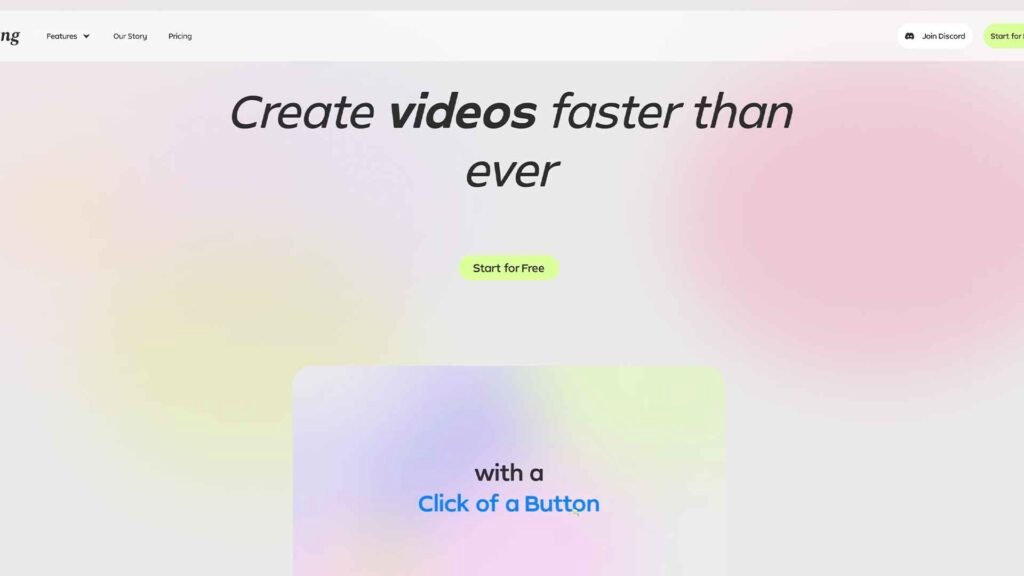
Gling AI is a specialized tool built for “talking head” creators. It is not meant to replace your creative vision. Instead, it is designed to handle the repetitive tasks that eat your time. For example, if you film a 40-minute tutorial, you might only have 10 minutes of good footage. Normally, you would have to find those 10 minutes manually.
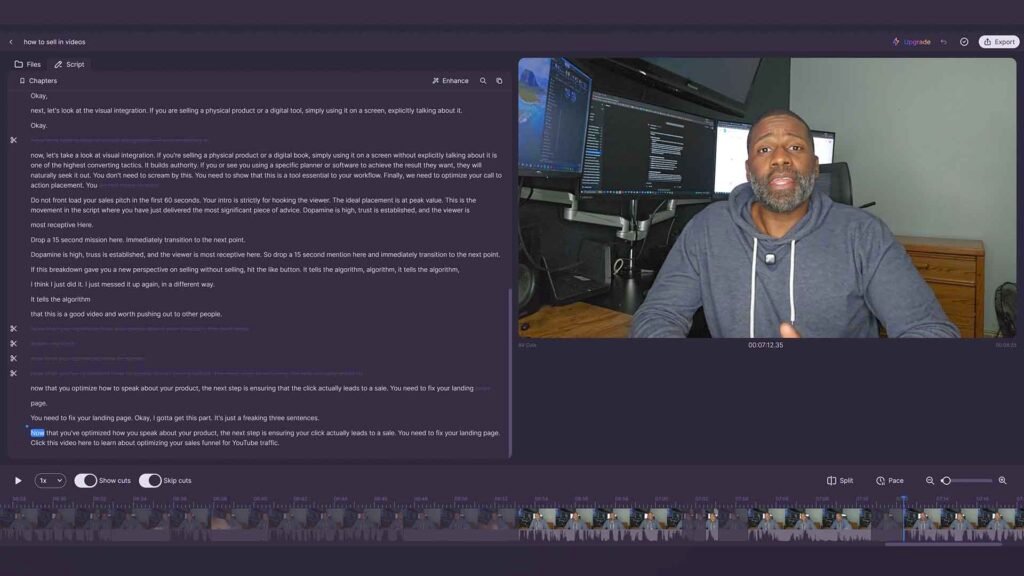
Gling uses speech-to-text technology to “read” your video. Once it has a transcript, it can see exactly where you messed up. It looks for long pauses where you were thinking. It also finds “filler words” like “um” or “uh.” Furthermore, it can even tell when you repeated a sentence because you didn’t like the first take.
By using the Gling affiliate link, you can try these features for yourself. The software works on both Windows and Mac. It also has a web-based version for quick edits. In 2026, it has become the standard tool for anyone who wants to upload high-quality content consistently.
How Gling Saves You 10+ Hours a Week
Time is the most valuable thing a creator has. If you spend all your time editing, you have no time to come up with new ideas. Consequently, many creators burn out and quit. Gling solves this by doing the first pass of your edit in seconds.
Most professional editors say that the rough cut takes about 50% of the total editing time. If you spend 20 hours a week editing, 10 of those hours are just cutting out silences. Gling does this work at the speed of light. For instance, you can drop a 1-hour file into Gling, and it will give you a clean 15-minute cut in less than three minutes.
Additionally, this speed allows you to focus on the “fun” parts of editing. You can spend more time on color grading, sound design, and adding B-roll. This leads to a better final product. According to Adobe’s guide to video editing, a smooth workflow is the key to professional results. Gling provides that workflow.
Core Features: Silence, Fillers, and Bad Takes
Gling is packed with features that feel like magic. Here is a breakdown of the most important tools included in the 2026 version.
1. Automatic Silence Removal
Dead air is the enemy of retention. If your video has long pauses, viewers will click away. Gling identifies every millisecond of silence. You can choose how “aggressive” you want the cuts to be. If you want a fast, snappy video, you can remove every breath. However, if you want a more natural feel, you can leave small gaps between sentences.
If your settings are too aggressive, the software can accidentally clip off the start of your sentences or swallow natural breaths. Master the exact slider configurations in our tactical guide on Dialing in Gling’s Silence Sensitivity: How to Avoid Cutting Mid-Breath.
2. Filler Word Detection
We all have verbal “ticks.” We say “like,” “you know,” or “actually” too much. Gling highlights these words in your transcript. You can delete all of them with one button. As a result, you sound much more intelligent and professional.
3. The “Bad Take” Remover
When you film, you probably repeat the same line three or four times. You do this until you get it right. Gling is smart enough to recognize these repetitions. It will automatically highlight the versions you likely want to delete. This is a massive improvement over traditional editing, where you have to listen to the same mistake over and over again.
4. AI Captions and Chapters
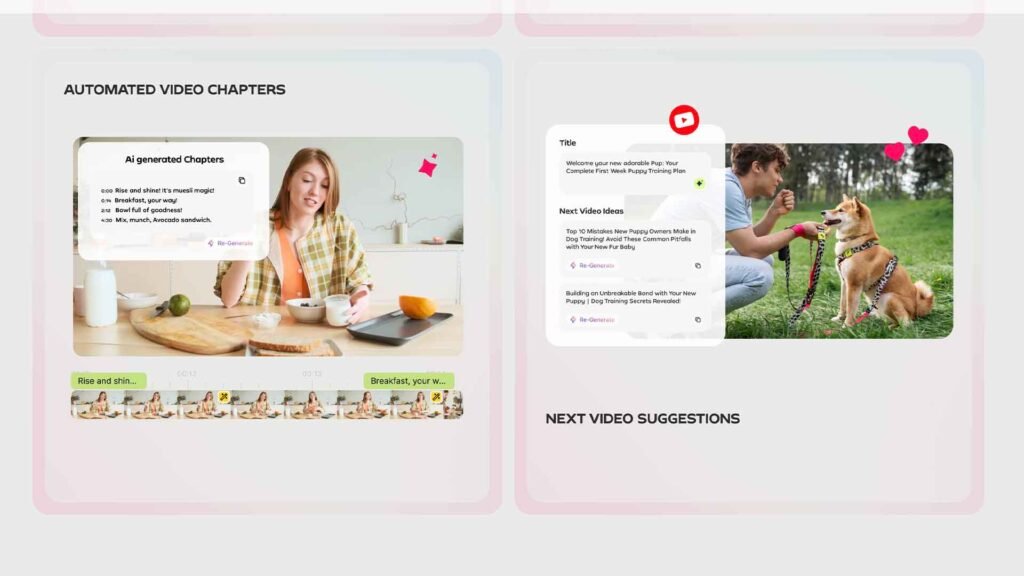
In 2026, captions are no longer optional. Most people watch videos with the sound off. Gling generates highly accurate captions that sync perfectly with your voice. Moreover, it can automatically create YouTube Chapters based on your topics. This helps your SEO and makes your video easier to navigate.
Step-by-Step Guide: Your First Project
Using Gling is very simple. You do not need any technical skills to get started. Just follow these steps:
Download and Install: Go to the Gling website and download the desktop app. It is much more stable than the web version for large 4K files.
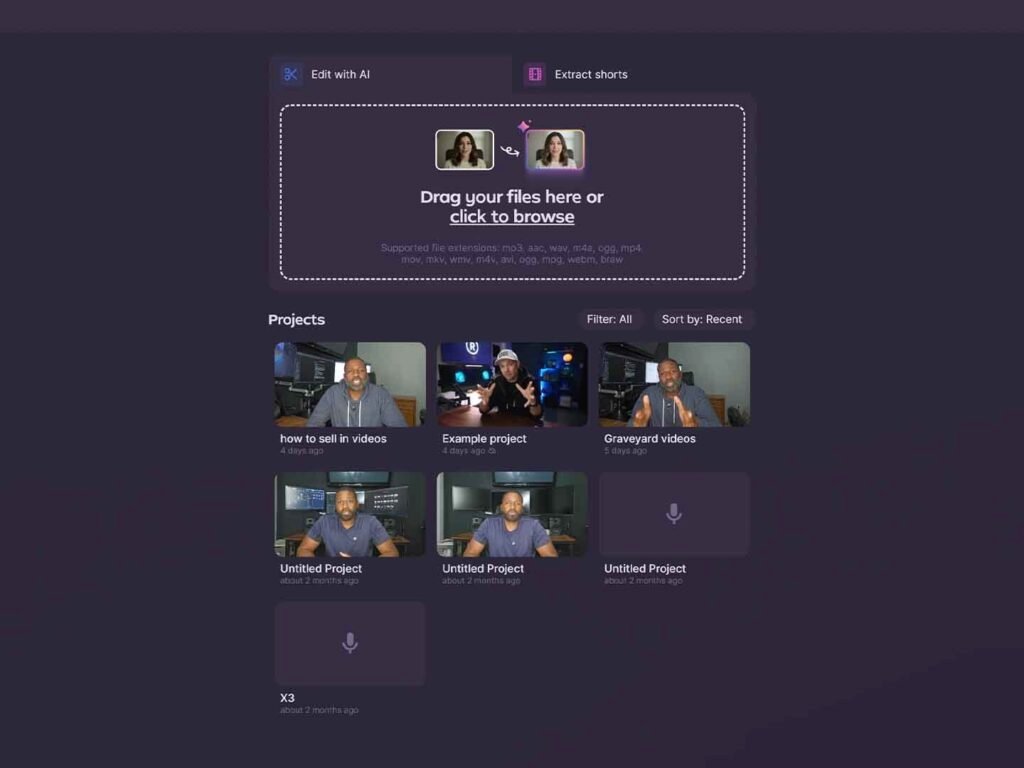
Upload Your Raw File: Drag and drop your raw video or audio file into the Gling window. You can even upload multi-cam footage. If you filmed with dual-system sound or multiple camera angles, syncing tracks manually ruins your time savings. Learn how to handle multi-source alignment efficiently with our guide on Managing Multi-Cam Interviews and Multi-Mic Sync Inside Gling.”
When you upload a video or audio file to Gling, you have the option to include your script—and I strongly suggest you do so, because you don’t get the option to add it afterwards.
Choose Your Settings: Tell Gling if you want to remove silences, filler words, or bad takes. You can also select your language.
The AI Magic: Wait a few minutes for the transcript to appear. You will see your video on one side and a text document on the other.
Edit the Text: If you see a sentence you don’t like, just delete the text. The video will cut itself automatically.
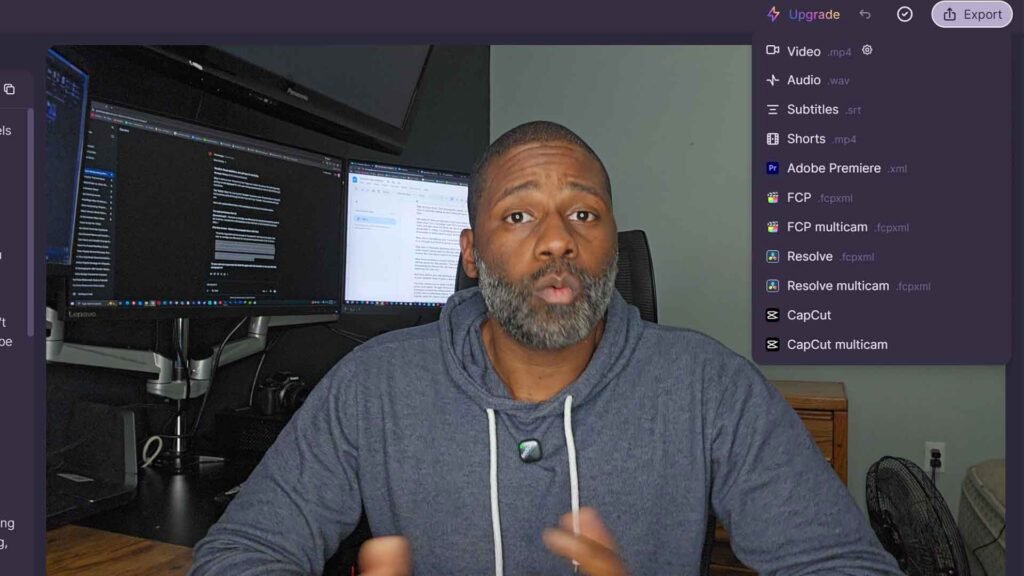
Export: When you are happy, hit export. You can save it as a final MP4 or send it to a professional editor like Premiere Pro.
Caution: Why You Shouldn’t Rely 100% on AI Cuts
While Gling is a massive time-saver, you should not just lean on Gling to cut and edit every portion of your recording on its own.
While the AI does a good job at cutting out things mostly, there will still be portions of your recording where Gling might cut off some words early or get rid of complete sentences that you actually want to keep inside your video. Always review your timeline before calling it final. Use Gling as your assistant to clear out the bulk noise, but keep final creative control in your own hands.
Technical Deep Dive: NLE & Premiere Pro Integration
I personally never finish audio entirely inside Gling, while it is possible to do so. Instead, I like to make the initial cuts here and then export an XML file to Premiere Pro. I find that to be the most efficient workflow for me.
Gling supports exports for all major Non-Linear Editors (NLEs), including Adobe Premiere Pro, Final Cut Pro (XML), and DaVinci Resolve (DRP).
When you open the exported file in Premiere Pro, your timeline is already trimmed and organized, but all your cuts remain non-destructive. If Gling clipped a word slightly too close, you can simply pull the clip edge back out in Premiere without losing any underlying audio.
Gling Pricing: Is It Worth the Money?
In 2026, Gling offers three main tiers. You can do monthly or yearly and yearly is half the cost.
| Plan | Monthly Price | Best For | Key Feature |
| Free | $0 | Beginners | 1 hour of video per month |
| Plus | $20 | Solo YouTubers | 10 hours of video + No Watermark |
| Pro | $40 | Agencies/Podcasts | 30 hours + Multi-Cam Sync |
Most creators will find that the Plus Plan is the best value. It costs about the same as a few cups of coffee, but it saves you hours of labor. If you produce one video a week, Gling pays for itself in the first 10 minutes of use.
Furthermore, if you use the YT Torials affiliate link, you can often find special trial offers that aren’t available on the main landing page.
The Pro-Con Analysis
Even though Gling is a fantastic tool, it is not perfect. You should know the downsides before you commit.
The Pros:
- Insane Speed: It turns hours of work into minutes.
- Easy to Use: You edit your video by reading a transcript.
- Professional Quality: The audio cleanup and auto-zooms look high-end.
- Direct Integration: It works perfectly with the tools you already use.
The Cons:
- Context Blindness: Sometimes the AI cuts a “dramatic pause” that you wanted to keep.
- Internet Required: You need a connection to process the AI transcription.
- Credit Limits: If you have a busy month, you might run out of hours on the cheaper plans.
Gling vs. The Market (Opus Clip and More)
You might be wondering how Gling compares to other tools. In our article on Gling vs. Opus Clip, we explained that these tools do different things.
Opus Clip is a “repurposing” tool. It takes an existing video and turns it into short clips for TikTok. Gling, on the other hand, is an “assembly” tool. It helps you build your main long-form video from scratch.
Other competitors like Descript offer advanced features like voice cloning, but they often bog down solo creators with unnecessary bloat. Dive into our head-to-head comparison in Gling vs. Descript: Which AI Editor Actually Saves Time for Long-Form Creators? to see which fits a lean publishing schedule.”
Future Proofing: Avoiding “AI Slop”
There is a big risk in 2026 called “AI Slop.” This happens when creators let AI do all the work. If you just upload what the AI gives you without checking it, your video will feel robotic and boring.
To avoid the “slop” flag, you must use Gling as a starting point, not the ending point. Gling handles the manual labor, but you must provide the creative soul. Use Gling to cut the silences, but then go into your main editor and add your own music, your own jokes, and your own personality.
Summary
Gling AI has completely transformed how I handle voiceover recordings and rough cuts. It eliminated the dread of making mistakes during recording and saved me hours of tedious editing on single uploads.
While it shouldn’t replace your final pass in an editor like Premiere Pro, it is the ultimate assistant tool for clearing out silence, bad takes, and filler words.
If you are tired of spending hours trimming “ums” and “uhs,” give Gling a try on your next raw recording.
Don’t forget to stay ahead of the curve! Subscribe to the YT Torials Newsletter for more deep dives into the latest AI tools. Also, make sure to follow our YouTube channel for video tutorials that show you exactly how to master these tools.
Related Posts
Gling vs. Descript: Which AI Video Editor Fits Your Workflow?
How to Export Gling to DaVinci Resolve
How to Export Gling to Premiere Pro as XML (Step-by-Step Guide)
How to Automate Your Rough Cuts (The 5-Step Gling Workflow)

No responses yet