Imagine walking into a store where the sign says “Burgers,” but the staff is wearing tuxedos, the music is classical opera, and they are selling sushi. You would be confused, right? You might even turn around and leave.
That is exactly what happens when a YouTube channel has bad branding.
When a new viewer clicks on your video or visits your channel page, they need to know instantly who you are, what you do, and why they should stick around. That is the power of branding. It is not just about having a cool logo or a favorite color. It is about the “vibe” your channel gives off. The promise you make to your audience.
In this guide, we are going to break down everything you need to know to build a YouTube brand that looks professional, builds trust, and turns casual viewers into loyal subscribers.
Table of Contents
Quick Takeaways: What You Will Learn
What is YouTube Branding? (It’s More Than Just a Logo)
The YouTube Brand Audit Checklist
The Visual Essentials: Your Channel’s “Outfit”
The “Invisible” Branding: Voice, Tone, and Music
The Anatomy of a Branded Intro & Outro (The 5-Second Hook)
Cross-Platform Brand Cohesion (Website & Socials)
How to Pivot or Rebrand Without Killing Your Channel
Extending Your Brand to YouTube Shorts & Repurposing Content
Optimizing Your Channel Layout
Consistency is Key (The Secret Sauce)
The “About” Section: Your Brand Story
Frequently Asked Questions (FAQ)
Conclusion
Quick Takeaways: What You Will Learn
- The Three Pillars: Branding is more than a logo; it spans visual identity, tone of voice, and core channel values.
- The Visual Hierarchy: How to optimize banners, profile pictures, and thumbnails for mobile and desktop “Safe Zones.”
- Systemizing Consistency: Leveraging templates and style guides to build trust and increase viewer retention.
- Cross-Platform Cohesion: Aligning your YouTube presence seamlessly with your external web assets and social footprint.
What is YouTube Branding? (It’s More Than Just a Logo)
Before we dive into pixel sizes and color codes, let’s talk about what branding actually is. Many beginners think branding is just their profile picture. While that is part of it, your brand is actually the personality of your channel.
For example, think of your favorite YouTubers. When you see their thumbnail, you know it’s them before you even read the title. When they start talking, you know exactly what kind of energy to expect. That is successful branding.
Your branding consists of three main pillars:
- Visual Identity: How your channel looks (Colors, fonts, logos, thumbnails).
- Voice and Tone: How your channel sounds (Your writing style, your energy, your catchphrases).
- Values: What your channel stands for (Education, comedy, inspiration, honesty).
If you are just starting your channel from scratch, getting these pillars right from day one will save you a lot of time later.
🔍 The YouTube Brand Audit Checklist
Before diving into the details, run your channel through this quick 5-point diagnostic. If you answer “no” to any of these, use this guide to fix it:
- [ ] Does your channel banner clearly state your unique value proposition within the mobile safe zone?
- [ ] Is your profile picture a clear photo of your face (for personal brands) or a high-contrast logo (for businesses)?
- [ ] Do your video thumbnails share a consistent font and color family?
- [ ] Is your channel homepage prioritizing your recent active uploads rather than outdated 3-year-old content?
- [ ] Do your color hex codes match across your YouTube banner, social profiles, and main website?
The Visual Essentials: Your Channel’s “Outfit”
Your visual branding is the first thing people see. If your visuals are messy, people will assume your content is messy, too. Let’s look at the specific assets you need to create.
1. The Channel Banner (Your Billboard)
Your channel banner (also called “Channel Art”) is the huge image at the top of your profile. This is prime real estate. It is the only place on YouTube where you have total creative control to tell people who you are.
What should be on your banner?
- Your Channel Name: Big and bold.
- Your Value Proposition: A short phrase that explains what you do (e.g., “Tech Reviews for Non-Techies” or “Vegan Cooking in 15 Minutes”).
- Upload Schedule: If you post every Tuesday, say so! It builds habit.
- Social Handles: Let people know where else to find you.
The Tricky Part: Sizing YouTube banners are tricky because they look different on a TV, a computer, and a phone. You need to design your banner so the important stuff is in the “Safe Zone” (the middle part that shows up on mobile phones).
- TV Display: 2560 x 1440 pixels (The whole image).
- Desktop Display: 2560 x 423 pixels (A wide strip).
- Mobile/Safe Zone: 1546 x 423 pixels (The center box).
Tip: Always double-check your design against the official YouTube image size guidelines to make sure your text doesn’t get cut off.
⚠️ Common Mistake: Never place crucial text or social handles on the far left or right edges of your banner. Over 70% of viewers browse on mobile devices where those outer edges are completely cropped out.
Deep Dive: Want a foolproof way to align your graphics? Read our dedicated spoke guide on How to Design a High-CTR YouTube Banner in Canva (Step-by-Step).
2. The Profile Picture (Your Avatar)
Your profile picture (or “icon”) is the face of your brand. It appears next to every comment you write and every video you post.
For personal brands (vloggers, educators, influencers), your profile picture should almost always be a high-quality photo of your face. Humans connect with humans, not graphics. Make sure you are smiling and looking at the camera.
For company brands (agencies, software, businesses), a high-contrast version of your logo works best.
Quick Specs:
- Size: 800 x 800 pixels.
- Format: JPG, GIF, BMP, or PNG.
- Crop: YouTube will crop this into a circle, so don’t put anything important in the corners!
3. Video Thumbnails (The Click Magnet)
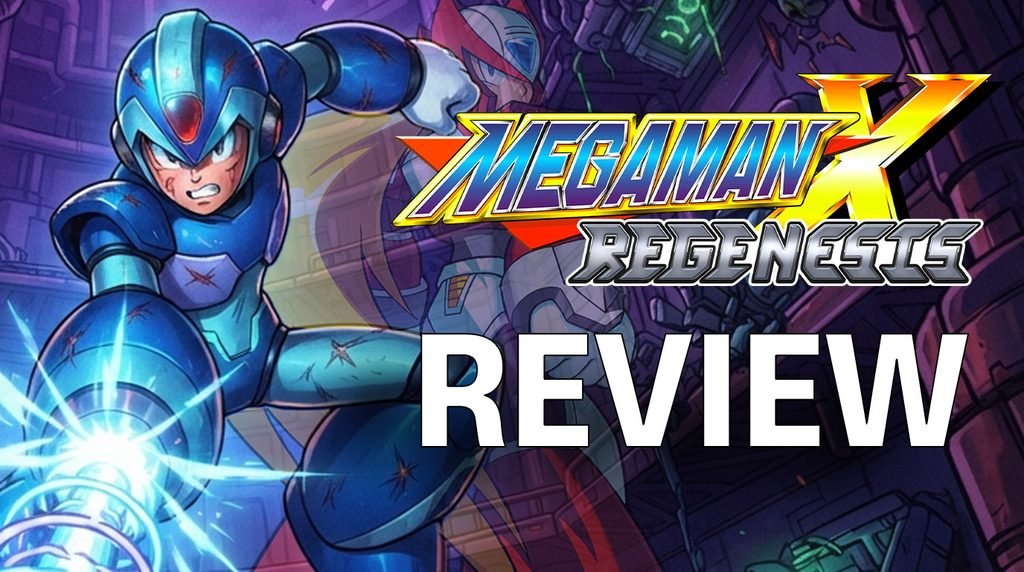
If your banner is your billboard, your thumbnails are your movie posters. This is the most critical visual element for getting views. A branded thumbnail strategy means that all your thumbnails look like they belong to the same family. You don’t want them to look identical, but they should share a “style.”
To maintain a consistent visual family across your thumbnails and channel art without starting from scratch every week, many creators utilize pre-built creative assets and font packages from platforms like Envato Elements to keep their design assets uniform.
How to brand your thumbnails:
- Consistent Fonts: Pick one or two fonts and use them every time. Do not switch from Comic Sans to Impact to Arial every week.
- Color Palette: Use your brand colors as accents (borders, text background, or clothing).
- Face Emotions: If your face is in the thumbnail, exaggerate your expression to match the video topic (excited, confused, serious).
- Composition: Try to keep your layout somewhat consistent. For example, maybe your face is always on the right and text is always on the left.
If you want to learn more about ranking your videos, mastering thumbnails is step one because a high click-through rate tells YouTube your video is worth watching.
4. The Watermark
This is a small, often overlooked feature. In your YouTube Studio settings, you can upload a tiny image that sits in the bottom right corner of your videos. When viewers hover over it, they get a “Subscribe” button. Here’s a quick guide on how to add a YouTube watermark.
- Pro Tip: Don’t just use your logo here. Use a graphic that actually says “SUBSCRIBE” or has a subscribe icon. It acts as a Call-to-Action (CTA) throughout the whole video.
Optimizing Your Channel Layout
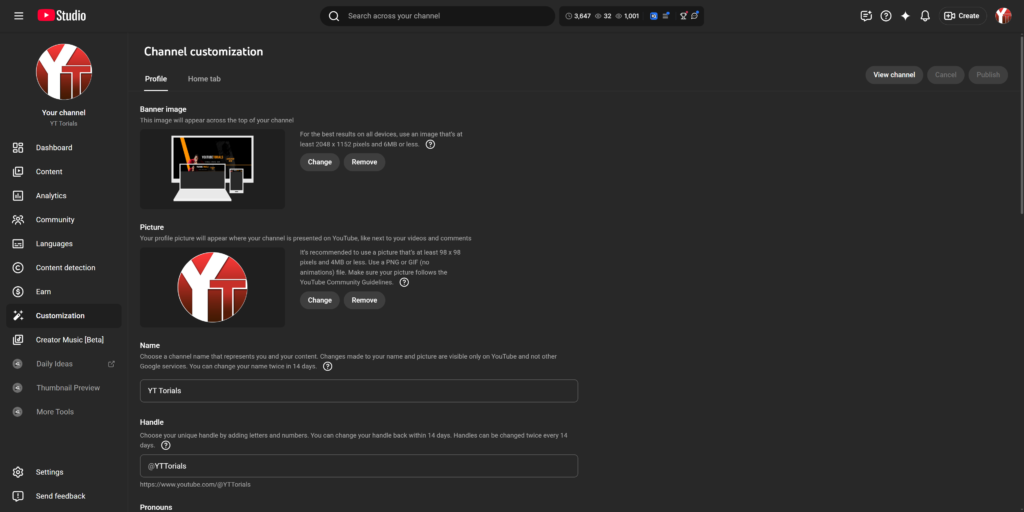
When someone clicks on your channel name, they land on your homepage and your About tab. This real estate needs to be organized immediately. You wouldn’t invite guests into a messy house, so don’t invite viewers to a messy channel page.
The Channel Homepage
- The Channel Trailer: Set up a 60-second pitch video or your absolute best-performing video to auto-play for non-subscribers.
- Branded Playlists: Organize your videos into curated series with compelling, benefit-driven titles rather than generic folder names. (e.g., Use “Budget Eats: Meals Under $5” instead of “Cooking Videos”). Want to understand the traffic and retention benefits? Read our guide on 6 Reasons to Use YouTube Playlists and learn execution strategies with 3 Simple Tips to Make Awesome YouTube Playlists.
- Prioritize Recent Content: Ensure your active upload shelves sit at the very top so visitors see an active, thriving channel rather than outdated uploads.
The “About” Section: Your Brand Story
The “About” tab on your channel page is a powerhouse for YouTube SEO. YouTube’s backend scans this text to understand your topical authority.
The Schedule & CTA: Let visitors know when you upload and where to subscribe or join your newsletter.
The Hook: Start with a strong sentence about the specific value you provide.
The Story: Briefly explain who you are and why you are qualified.
The “Invisible” Branding: Voice, Tone, and Music
Branding isn’t just what we see; it’s what we hear and feel.
Your Voice and Scripting
How do you talk to your audience? Are you a strict teacher? A goofy best friend? A sarcastic commentator?
This is called your “Tone of Voice.” You should try to keep this consistent. If you are usually funny and lighthearted, a suddenly dark and serious video might confuse your audience (unless there is a good reason for it).
Common YouTube Tones:
- The Expert: “Here is exactly how this works, step-by-step.” (Authoritative, clear).
- The Explorer: “I don’t know what’s going to happen, let’s find out together!” (Curious, energetic).
- The Buddy: “You won’t believe what happened to me today.” (Relatable, casual).
Define your tone and write your scripts to match. If you hire a scriptwriter later, having a “Brand Voice Guide” will help them write like you.
Music and Sound Effects
Have you ever heard a specific sound effect and immediately thought of a specific YouTuber? That is “Audio Branding.”
You don’t need to commission an original theme song, but you should have a library of “go-to” songs and sounds.
- Intro Music: Use the same 3-5 seconds of music at the start of every video.
- Background Music: Pick a specific genre. If you are a tech channel, lo-fi beats or electronic music might fit. If you are a gardening channel, acoustic guitar might be better.
- Sound Effects: Use specific “whooshes” or “pops” for your text transitions. Over time, your audience will subconsciously associate those sounds with your content.
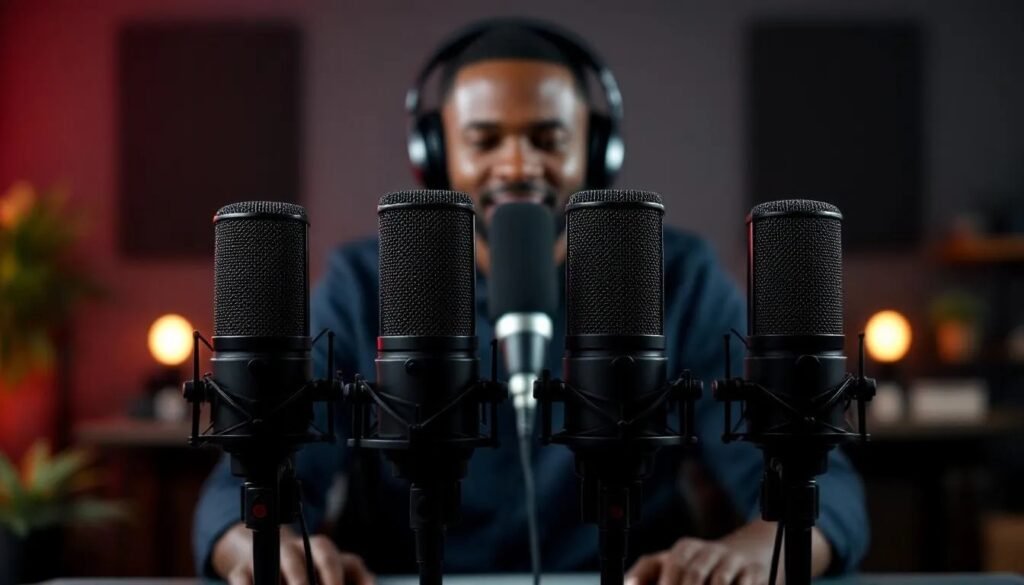
Of course, clean audio effects won’t save a muddy microphone. To ensure your voice talent matches your professional audio branding, check out our guide on the Best Microphones for YouTube and podcasting.
The Anatomy of a Branded Intro & Outro (The 5-Second Hook)
The first five seconds of your video dictate whether a casual viewer bounces or stays. While many creators waste this window with a bloated 15-second logo animation, a professional brand intro must be lean and value-focused.
- The Visual Sting: Introduce your brand signature quickly—such as a signature color flash or clean motion graphics overlay—within the first 3 seconds before diving straight into the core hook of the video.
- Audio Stitches: Pair your visual intro with your recurring audio sting so that returning subscribers immediately recognize your content even if they have minimized the tab.
- The Branded Outro: Close your video by directing viewers straight into your ecosystem. Use clear, branded end screen templates that point them toward your next logical piece of content rather than letting them click away to a competitor’s video.
Cross-Platform Brand Cohesion (Website & Socials)
Your YouTube channel does not exist in a vacuum. Viewers often cross-reference your channel with your external web assets, newsletter, and social profiles. If your YouTube banner features a sleek dark-mode aesthetic with neon blue accents, but your primary website looks like a generic white-background template from 2012, you break institutional trust.
- Match Your Hex Codes: Ensure your exact brand color palette carries across your WordPress blog headers, social media banners, and email newsletters.
- Unified Typography: Keep your headline and body fonts consistent between your blog posts and your video graphics.
- The Ecosystem Link: Use your channel banner and video descriptions to funnel traffic directly back to your owned media assets, turning rented YouTube attention into owned subscriber relationships.
Deep Dive: Learn how to align your digital footprint with our guide on Cross-Platform Cohesion: Matching Your YouTube Brand to Your Blog and Socials.
How to Pivot or Rebrand Without Killing Your Channel
One of the biggest anxieties creators face is outgrowing their current niche or visual style. If your channel needs a facelift, doing it overnight can confuse your existing audience and tank your click-through rates. Here is how to rebrand smoothly:
- Warn Your Audience First: Dedicate 30 seconds of an upcoming video or a Community Tab post to explain why the rebrand is happening. People tolerate change much better when they understand the reason behind it.
- Phase the Rollout: Update your profile picture and banner first. Let your audience get used to the new visual identity for a couple of weeks before overhauling your thumbnail templates.
- Keep Your Core Value Proposition: Even if your visual style changes, ensure the fundamental reason people subscribed to you in the first place remains intact.
Deep Dive: Read our tactical roadmap on How to Successfully Rebrand Your YouTube Channel Without Losing Subscribers.
Extending Your Brand to YouTube Shorts & Repurposing Content
With short-form video dominating discovery feeds, maintaining brand identity across vertical formats is essential. However, blindly spamming short-form clips with random formatting can dilute your core channel identity.
- Vertical Framing Templates: Use consistent background layouts, branded caption styles, and logo watermarks designed specifically for mobile viewports.
- Automated Scaling with Brand Control: When scaling your long-form videos into short-form snippets, utilizing intelligent editing tools like Opus Clip allows you to automatically extract highlights and format vertical clips efficiently while preserving your custom visual style and pacing.
Deep Dive: Explore workflow optimization in our guide on How to Use AI Repurposing Tools While Preserving Brand Identity.
Bridging Visual Branding and Production Quality
Your channel art and thumbnail design set a high-end expectation for your viewers. If a new subscriber clicks your video because of your polished visual branding, but is met with poor lighting, grainy video, or muffled audio, trust is instantly broken.
To ensure your physical production matches your digital brand identity:
- Lighting: Proper illumination eliminates harsh shadows and instantly makes a DIY setup look like a professional studio. Explore our top recommendations in our guide on the Best Ring Lights and Studio Lighting for Creators.
- Video Clarity: Crisp framing and sharp resolution reinforce your visual standard. Read our breakdown of the Best Cameras for YouTube Content Creators to find the right hardware match for your niche.
- Audio Fidelity: Clean voice tracking seals the deal. Check out our deep-dive reviews on the Best Mics for Crystal-Clear YouTube Audio
Consistency is Key (The Secret Sauce)
If you take only one thing away from this guide, let it be this: Consistency is more important than perfection.
It is better to have a “pretty good” brand that shows up every single week than a “perfect” brand that changes its colors and style every month. Consistency builds trust. According to marketing data, consistent presentation of a brand increases overall revenue significantly. Even though you are a creator, you are running a media business.
- Create Templates: Build reusable Canva or Photoshop templates for your thumbnails and graphics so you never start from scratch.
- Stick to a Schedule: Reliability is a core component of your brand promise.
- Build a Brand Guide: Write down your hex color codes, font names, and voice rules in a central document so you (or your editors) never lose alignment.
💡 Free Resource Download: Want a simple jumpstart? Grab our beginner YouTube Brand Color & Font Starter Sheet to lock in your initial hex codes and layout choices before building your full-scale asset library.
If you want to ensure your production value matches your new professional branding, check out our guide on the best equipment for YouTube. A great brand deserves crystal-clear audio and video quality!
Frequently Asked Questions (FAQ)
Q: Should I use my real face or a company logo for my channel’s profile picture?
A: For personal brands, vlogs, and educational channels, a high-quality photo of your face builds faster trust because humans connect with humans. For commercial agencies or incorporated businesses, a high-contrast logo is preferred.
Q: How often should I change my channel banner?
A: Avoid changing your banner frequently. Your banner acts as a permanent billboard; only update it when your core value proposition changes, you launch a major new content series, or you adjust your upload schedule.
Q: Does changing my branding hurt my existing video views?
A: If done overnight without warning, a drastic visual rebrand can confuse returning subscribers and lower click-through rates. Phase your changes gradually—start with your banner and avatar, and let your audience adjust before overhauling your thumbnail style.
Conclusion
Building a YouTube brand doesn’t happen overnight. Over time, you will find your voice and refine your visual style. However, if you follow the steps in this guide—creating a strong visual identity, maintaining a consistent tone, and organizing your channel professionally—you will be miles ahead of the competition.
Remember, your brand is the promise you make to your audience. Keep that promise in every video, every thumbnail, and every comment, and your community will grow.
Ready to take your YouTube channel to the next level? Don’t miss out on our latest tips and strategies. Subscribe to the YT Torials newsletter today to get exclusive guides and creator tools delivered straight to your inbox!
No responses yet