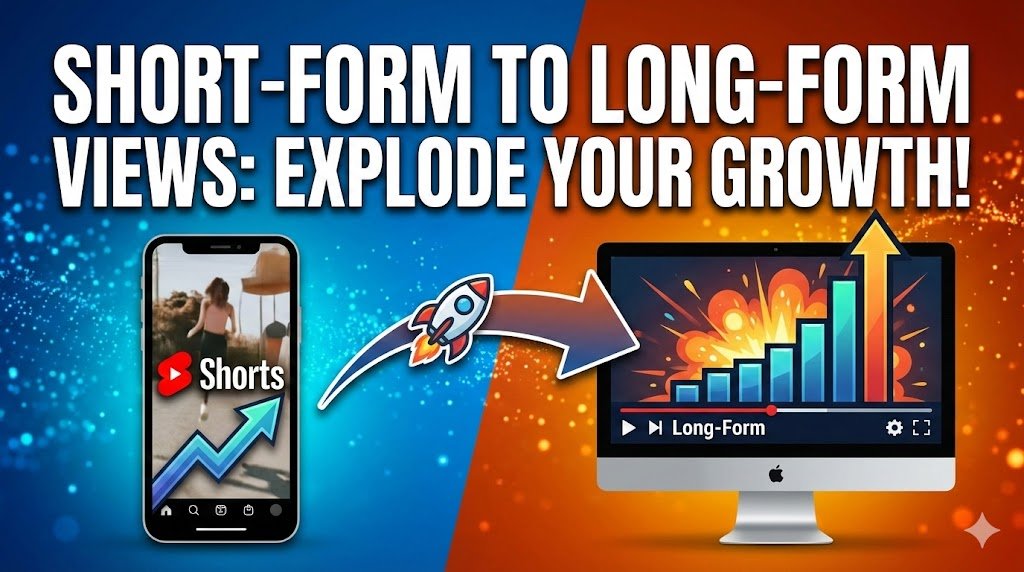
YouTube Shorts and Instagram Reels have become the new “front doors” for creators. They offer massive reach, bringing in thousands of eyeballs with bite-sized storytelling that caters to our shrinking attention spans. If you get a viral Short, you might see your subscriber count tick upward and your views skyrocket overnight.
However, short-form content alone isn’t always enough. While Shorts are great for visibility, they are notoriously difficult to monetize substantially compared to traditional video. For creators who want to build deeper relationships with their audience, grow watch time, and get monetized on YouTube as fast as possible, long-form videos remain essential.
The challenge is bridging the gap: How do you get someone who casually stumbles upon a 30-second Short to commit to clicking on a 20-minute video? It requires more than just luck—it requires a specific psychological strategy.
Here is your step-by-step guide to building a content funnel that moves viewers from “swiping” to “watching.”
1. Start with the Hook: The Curiosity Gap
Every successful Short begins with a hook—those first three to five seconds that grab attention before a user swipes away. But if your goal is to move them to a long-form video, your hook has to do double duty. It shouldn’t just grab attention; it needs to hint at a bigger story that can’t possibly be told in 60 seconds.
You need to open a “curiosity gap”—a space between what the viewer knows and what they want to know.
Types of Funnel Hooks
- Question-based: Instead of stating a fact, ask something that challenges the viewer’s knowledge.
- Example: “Do you know why Mega Man X’s intro stage is secretly one of the smartest tutorials ever designed?”
- Shock-based: Start with a contrarian statement that demands an explanation.
- Example: “You’ve been playing this game wrong your whole life, and here is why.”
- Cliffhanger-based: Start at the moment of highest tension.
- Example: “This boss looks impossible, but there’s a secret weakness. Here’s the first step to finding it…”
The goal isn’t to give everything away in the Short. If you answer the question completely in 45 seconds, the viewer has no reason to click your long video. Instead, use the hook to open a door that only the long-form video can walk through.
2. Tease, Don’t Spoil
Think of your Short like a movie trailer. When you go to the cinema, the best trailers show you just enough action to make you want to buy a ticket, but not so much that you feel like you’ve already seen the whole film.
Many creators make the mistake of trying to condense their entire 10-minute video into a 60-second summary. This satisfies the viewer instantly, which means they keep scrolling.
The “Trailer” Strategy
- Good Example: If you are ranking the “Top 10 RPGs,” your Short should cover spots #10 through #8. Then, you can say, “The top 5 are controversial, and #1 shocked me…” This pushes them to the full video to see the rest.
- Bad Example: Speed-running through all 10 games in 50 seconds. The viewer got the list; they don’t need you anymore.
You want to provide value, but you want to withhold the resolution.
3. Leverage Cliffhangers (The Zeigarnik Effect)
Human brains are wired to seek resolution. This is a psychological phenomenon known as the Zeigarnik Effect. This principle states that people remember uncompleted or interrupted tasks better than completed ones. It is why TV shows end episodes right before the bomb goes off—you have to tune in next week to see what happens.
You can weaponize this psychology in your Shorts.
How to Execute This:
- The “Cut-Off”: Show part of a boss fight or a complex tutorial, but cut the video just before the finishing move or the final result.
- The Narrative cliffhanger: Tell a story, but stop right at the climax. “That’s when everything went wrong… I cover the full disaster story in my 20-minute breakdown.”
By leaving the brain “itching” for the conclusion, clicking the related video becomes a compulsion, not just a choice.
4. Highlight the Value of the Long-Form Video
Why should someone stop their doom-scrolling dopamine hit to commit 20 minutes to you? You must explicitly pitch the “Why.” You cannot assume they know there is more depth in the long version; you have to tell them.
Use your voiceover or text on screen to emphasize the difference in quality and quantity between the two formats.
The Value Pitch:
- Depth: “This Short is just scratching the surface—I break down every single detail in the full video.”
- Exclusivity: “I couldn’t fit the full breakdown here because of the time limit, but it’s all in the long version.”
- Transformation: “This one trick works, but I show the complete method step-by-step in my full guide.”
You are essentially telling them: “This Short was the snack, but the long video is the meal.”
5. Align Your Short with the Long-Form Format
Avoid the “bait-and-switch.” If your Short is high-energy, loud, and fast-paced, but your long-form video is a slow, quiet, monotone lecture, viewers will click off immediately. This hurts your retention metrics.
To successfully convert viewers, your Short needs to feel like a natural extension of your long-form content.
Consistency Checklist:
- Tone and Voice: Use the same enthusiasm and personality in both.
- Visual Style: Use the same color grading, fonts, and branding elements.
- Content Match: Reuse clips or moments from the long video, but cut them differently for short-form pacing.
- Topic Relevance: Highlight a single segment of the longer piece, not an unrelated topic. If your long video is about “Camera Lenses,” don’t make the Short about “Microphones” and link it.
6. Optimize Calls-to-Action (CTAs)
You can craft the most compelling teaser in the world, but without a clear Call-to-Action (CTA), viewers won’t know where to go.
While verbal cues (“Check out the video!”) are great, you should prioritize YouTube’s official “Related Video” tool. This feature places a clickable link directly above your Short’s title (usually appearing as a small play button icon with the title of the long video).
Why the “Related Video” Link Wins
Unlike putting a link in the comments (which is hard to find on TV) or the description (which no one reads on Shorts), the Related Video link is one tap away. It makes the transition seamless.
Effective CTA Scripts:
- “Tap the play button on the screen for the full breakdown!”
- “I cover the rest of this story in my deep dive—click the related video below.”
- “This is just part one. To see the full method, follow the link right here on this Short.”
7. Use Emotional Triggers
People click because of emotion, not just information. Logic makes people think; emotion makes people act. When scripting your Short, try to tap into one of these three powerful triggers:
The Big Three Triggers
- Curiosity: Tease hidden knowledge or surprising outcomes. “You won’t believe what happens when you combine these two items.”
- Nostalgia: Show a clip that reminds viewers of a shared past experience. “Remember the first time you booted up the PS2?”
- FOMO (Fear Of Missing Out): Suggest there’s information everyone should know, or that others are already ahead of the curve. “Stop making this mistake that 90% of creators make.”
If you can make the viewer feel something, they are far more likely to want to spend more time with you.
8. Design Shorts with Long-Form in Mind
Many creators make a long video, and then think, “Oh, I should probably make a Short out of this.” That is a reactive strategy.
A proactive strategy is planning the Short before you even film the long video. Script the Short as a “setup.” When you are writing your long-form script, identify a section that functions as a perfect teaser.
The “Act I” Technique
Think of your Short as Act I of a story (The Setup), with your long-form video being Acts II and III (The Conflict and Resolution). By structuring your production this way, the content flows naturally from one format to the other, rather than feeling like a choppy edit.
9. Build Series Momentum
One Short is good. A series of Shorts is better. Instead of relying on a one-off viral hit, try releasing a series of 3-4 Shorts throughout the week that all connect to the same long-form video.
The Series Calendar:
- Short 1 (Monday): Teases a secret mechanic or a controversial opinion found in the video.
- Short 2 (Wednesday): Shows a specific “highlight” or funny moment from the video.
- Short 3 (Friday): A direct pitch. “I put all of these tips into one big ranking—watch the full breakdown now.”
This creates multiple “entry points” for viewers. Maybe they missed the first Short, but the second one caught them.
10. Add Visual Cues
Sometimes viewers need a visual nudge. Mobile interfaces can be cluttered, and users might not notice the small “Related Video” link at the bottom of the screen.
Use your editing software to add visual cues:
- Arrows: Add a fleeting animation of an arrow pointing down toward the title/link area.
- Text Overlays: Add text like “Full Video Linked Below 👇” or “Watch the Deep Dive Here.”
- Gestures: If you are on camera, physically point down at the end of the video. It looks silly while filming, but on the screen, you are pointing right at the button they need to click.
11. Play the Algorithm with Metadata
To help the algorithm suggest your full video after someone watches your Short, you must provide clear signals that the two are related.
The Metadata Bridge
Follow the official steps to link a Short to a related video within YouTube Studio.
- Open YouTube Studio on Desktop.
- Go to Content > Details on your Short.
- On the right sidebar, find “Related Video.”
- Select your long-form video.
This creates a direct metadata bridge. It tells YouTube, “These two pieces of content are siblings.” This increases the chances that even if the user doesn’t click the link immediately, your long-form video might appear in their “Up Next” feed or Homepage recommendations later.
For more tips on setting up your channel backend effectively, check out our guide on YouTube channel strategy.
12. Respect the Viewer’s Time
Finally, and perhaps most importantly: Don’t lie.
If your Short promises something amazing, the long-form video must deliver. Misleading teasers—or “clickbait”—might get you a click today, but they destroy long-term trust. If a viewer clicks over to your long video and realizes you tricked them, they will click off instantly. This hurts your Watch Time and tells YouTube your video is bad.
Always ensure the teaser truly connects to the content and the payoff is worth the extra time.
Conclusion: The Gateway to Growth
Shorts are no longer just for viral reach—they’re a powerful funnel. By crafting Shorts that hook attention, build curiosity, and point naturally toward your long-form videos, you create a pipeline of engagement that transforms casual scrollers into dedicated fans.
The key is balance: give enough value to satisfy viewers in the moment, but hold back enough that they want more. Master this art, and you won’t just get clicks; you’ll build a community that sticks around for the long haul.
Ready to turn your channel into a business? Building a funnel is just step one. Subscribe to the YT Torials newsletter below to get weekly insights, SEO hacks, and monetization strategies delivered straight to your inbox. Let us help you unlock your channel’s full potential.
Related Posts
Get your 1st 100 subscribers on YouTube!
Beyond the Video: Power of YouTube Communities for Creators
How to mention Channels on your videos and posts
The Full Scoop on YouTube Channel Memberships
How to Search for Small Creators on YouTube: Find Hidden Gems
How to appeal a terminated YouTube channel
How to Qualify for YouTube After a Channel Termination
YouTube Handles Will make you easier to find

No responses yet