
Video content is king. We all know it. Whether you are scrolling through TikTok, learning a new skill on YouTube, or watching a product demo, video is everywhere. In fact, recent data shows that 91% of businesses are using video as a key marketing tool in 2025. But for creators, this “king” can be a demanding tyrant.
The pressure to post constantly is real. You film for an hour, but that is just the beginning. Then comes the real work: sifting through footage, cutting out mistakes, adding captions, and formatting clips for three different social media platforms. It can feel like a full-time job that never ends.
Enter the revolution: AI video editing.
These aren’t just fancy filters. These are intelligent assistants that can automate the boring stuff, find your best moments, and even build videos from scratch. AI is here to be your co-pilot, helping you produce more content, faster, without burning out.
Here are the top AI video editing and repurposing tools that are changing the game for creators right now.
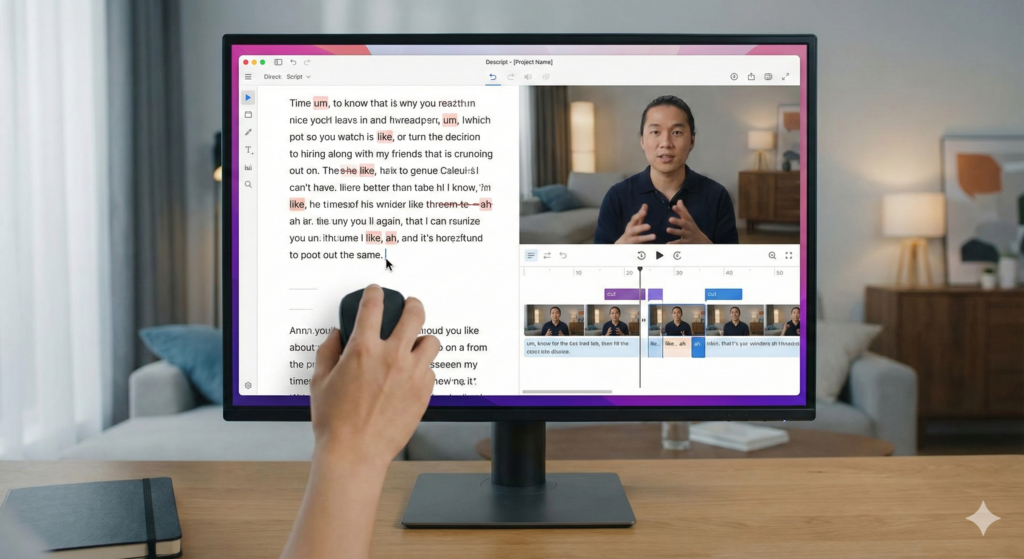
Descript: The Text-Based Editing Game-Changer
If you can edit a Google Doc, you can edit a video in Descript. This tool completely changes how we think about editing by focusing on the words, not just the timeline.
Why it’s a top pick
Descript is perfect for creators who focus on dialogue. It automatically transcribes your video into text. To cut a clip, you don’t hunt for the right second on a timeline; you just highlight the sentence in the text and hit “delete.” It is incredibly fast for interview-style content, podcasts, and explainer videos.
Key AI Features
- Text-Based Editing: Edit your video by editing the transcript. It’s as easy as typing.
- Filler Word Removal: One click removes all the “ums,” “uhs,” and “likes” from your recording.
- Studio Sound: This feature is magic. It takes echoey, noisy audio and makes it sound like it was recorded in a professional soundproof studio.
- Eye Contact: Did you read your script a little too obviously? This feature subtly adjusts your eyes in the video so it looks like you are looking directly at the camera.
- Overdub: Made a mistake? You can type the correction, and an AI clone of your voice will speak the new words seamlessly.
Ideal for: Podcasters, YouTubers, and educators who do a lot of talking.
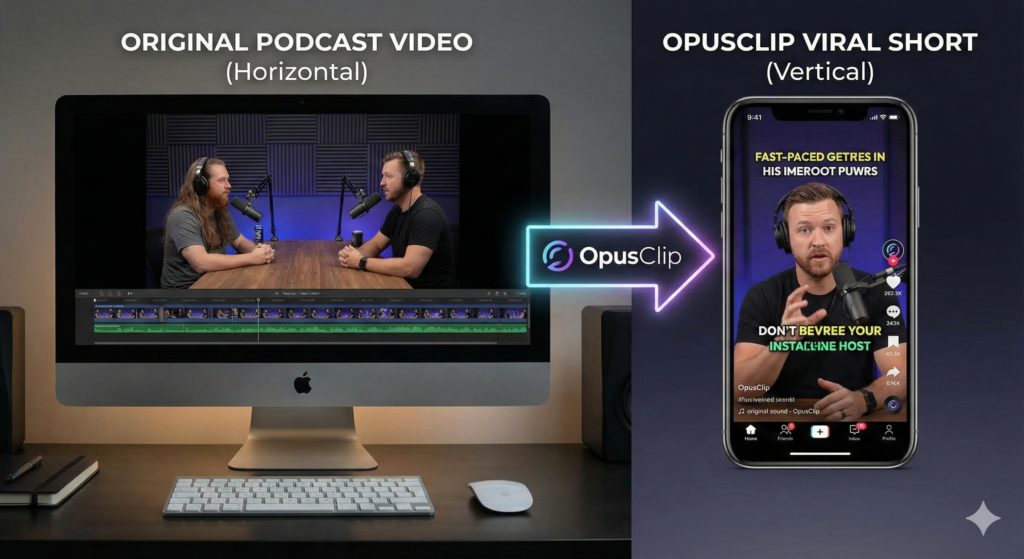
OpusClip: Your Viral Short-Form Content Machine
You have a 60-minute podcast episode, but you need content for TikTok, Instagram Reels, and YouTube Shorts. Manually finding the best clips takes hours. OpusClip does it in minutes.
Why it’s a top pick
OpusClip is designed for repurposing. It takes your long videos and chops them up into bite-sized, vertical clips. But it doesn’t just chop randomly; it “watches” the video to find the funniest, most interesting, or most informative parts.
Key AI Features
- AI Virality Score: OpusClip gives each clip a score to predict how likely it is to go viral based on trends and engagement data.
- Auto Reframe: It keeps the speaker in the center of the vertical video, even if they move around in the original wide shot.
- Animated Captions: It automatically adds those colorful, popping captions you see on every viral video, which keeps viewers watching longer.
- Filler Word Removal: Like Descript, it cleans up the audio to make the clip snappy and professional.
Ideal for: Social media managers and podcasters who need to turn one long video into a week’s worth of social posts.
InVideo AI: From Text to Video in Minutes
Sometimes you have a great idea, but you don’t have a camera, a microphone, or the time to film. InVideo AI lets you skip the filming process entirely.
Why it’s a top pick
InVideo acts like a creative agency in a box. You simply type a prompt like, “Make a 60-second video about the benefits of drinking water,” and it does the rest. It writes the script, finds relevant stock footage, adds a voiceover, and edits it all together.
Key AI Features
- Text-to-Video Generation: Generates a complete video draft from a simple text prompt.
- AI Script Generator: Stuck on what to say? The AI will write a compelling script for you.
- Automated Scene Creation: It searches millions of stock images and videos to find visuals that perfectly match your words.
- Multi-Platform Optimization: You can ask it to change the format from a wide YouTube video to a vertical Instagram Reel instantly.
Ideal for: Marketers and business owners who need professional-looking videos quickly without hiring a production team. Read more about Invideo here.
RunwayML: The Generative AI Powerhouse
RunwayML is for the artists and the dreamers. It is less about “fixing” your video and more about creating things that don’t exist. It is a favorite among filmmakers and creative directors.
Why it’s a top pick
Runway pushes the boundaries of reality. It uses Generative AI to create new visuals. You can turn a simple video of a person walking down the street into a claymation animation, or erase a car from a shot as if it was never there.
Key AI Features
- Video-to-Video: Change the style of your video entirely. Turn live-action footage into a cartoon or a futuristic sci-fi scene.
- Inpainting: Remove unwanted objects (like a trash can or a random person) from your video automatically.
- Frame Interpolation: Turn normal footage into super-smooth slow motion by generating new frames between the existing ones.
- Text-to-Video: Create short video clips from nothing but a text description.
Ideal for: Filmmakers, designers, and creators who want to make unique, artistic visuals that stand out. Learn more about RunwayML here.
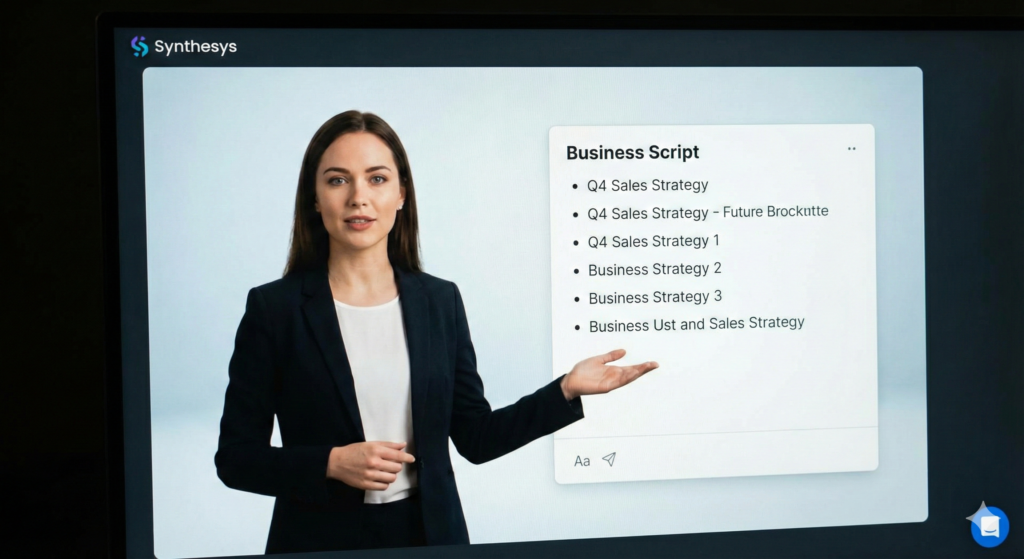
Synthesys: AI Avatars and Realistic Voiceovers
Not everyone is comfortable on camera. Synthesys solves this by giving you a digital face and voice.
Why it’s a top pick
This tool is famous for its AI Avatars. These are digital “people” who look and sound real. You just type your script, and the avatar delivers it perfectly. This is huge for corporate training videos or businesses that need to make content in multiple languages.
Key AI Features
- Humatars: Choose from a library of diverse, realistic avatars to be your “spokesperson.”
- AI Voice Cloning: You can clone your own voice or use one of their ultra-realistic premium voices.
- Multilingual Support: One video can be translated into dozens of languages instantly, allowing you to reach a global audience without re-recording.
- Talking Photos: Make a static image of a person “speak” your script.
Ideal for: Corporate trainers, e-learning course creators, and businesses expanding into international markets.
The Future of Video Creation is Here
These AI tools are more than just a passing trend; they are fundamental shifts in how video content is produced. While ai video editing won’t replace human creativity, they free up creators from mundane tasks, allowing them to focus on storytelling, strategy, and innovation. Embrace these AI co-pilots, and watch your video output aHow to Choose the Right AI Tool
With so many options, it can be overwhelming. To pick the right one, look at your primary bottleneck.
- Is editing taking too long? If you spend hours cutting out “ums” and arranging clips, start with Descript. It streamlines the rough cut process better than anything else.
- Do you need more social posts? If you have long videos collecting dust, use OpusClip. It is the fastest way to populate your TikTok or Shorts feed.
- No footage? No problem. If you need to make a video now but haven’t filmed anything, InVideo AI or Synthesys are your best bets.
Remember, the goal isn’t to let AI do everything. It is about freeing up your time so you can focus on the creative strategy—like planning your next big video series or engaging with your community in the comments.
For more deep dives on building a strategy that works, check out our guide on YouTube content strategy to ensure your new videos actually reach the right audience.
The Future of Video Creation is Here
These tools are not just a trend; they are a fundamental shift in how we create. According to a recent report by HubSpot, short-form video offers the highest ROI of any marketing trend, and AI is the key to producing it at scale. By adopting these tools, you aren’t “cheating”—you are equipping yourself to compete in a crowded digital world.
Video creation used to be a barrier. Now, it is an open door. The only limit left is your imagination.
If you are ready to take your channel to the next level, you need to stay ahead of the curve. Subscribe to the YT Torials newsletter today. We send weekly tips, tool reviews, and strategies directly to your inbox to help you grow faster and work smarter. Don’t just watch the revolution happen—be a part of it.nd quality soar!
Follow YT Torials:

No responses yet