
If you’ve noticed your impressions dropping while your dislike count climbs, it’s easy to feel like the algorithm has a personal vendetta against you. Many creators believe that a wave of “thumbs down” acts as a kill switch for their reach.
However, the dislike button itself isn’t what’s reducing your reach—it’s the Satisfaction Score behind it. I’ve analyzed landmark research and the latest Studio updates to explain how YouTube actually weights negative feedback. Here is the diagnostic process to determine if your video’s performance is at risk. Let’s look at the data.
The Myth of the Algorithm “Penalty”
There is a common misconception that dislikes are a “penalty.” Creators often think that once a video hits a certain percentage of dislikes, a red flag goes up at YouTube HQ, and the “Stop Promotion” button is pressed.
In reality, the algorithm is a mirror of the audience. It doesn’t care about your feelings or even necessarily your reputation; it cares about Viewer Satisfaction. To understand this, we have to look at how YouTube views engagement.
Why Disagreement Isn’t Death
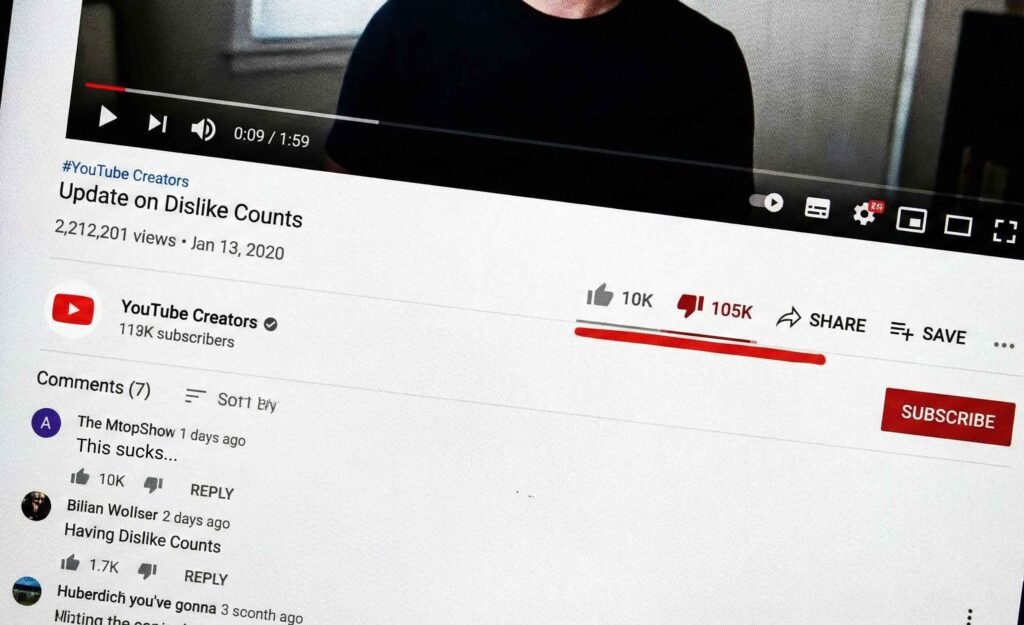
To understand how the algorithm handles dislikes, look at the Official YouTube Creators channel. Their own announcements—specifically regarding the removal of public dislike counts—received nearly a 1-to-10 like-to-dislike ratio. By all traditional logic, those videos should have vanished.
Despite this, those videos stayed at the top of search results and were recommended to millions of creators. This is because the algorithm prioritizes Relevance and Session Time. If viewers stay to watch—even if they disagree—the system recognizes the content is valuable. Disagreement is a signal of high-intensity engagement, not a signal to stop promotion.
How to Check Your “Risk Matrix” in YouTube Studio
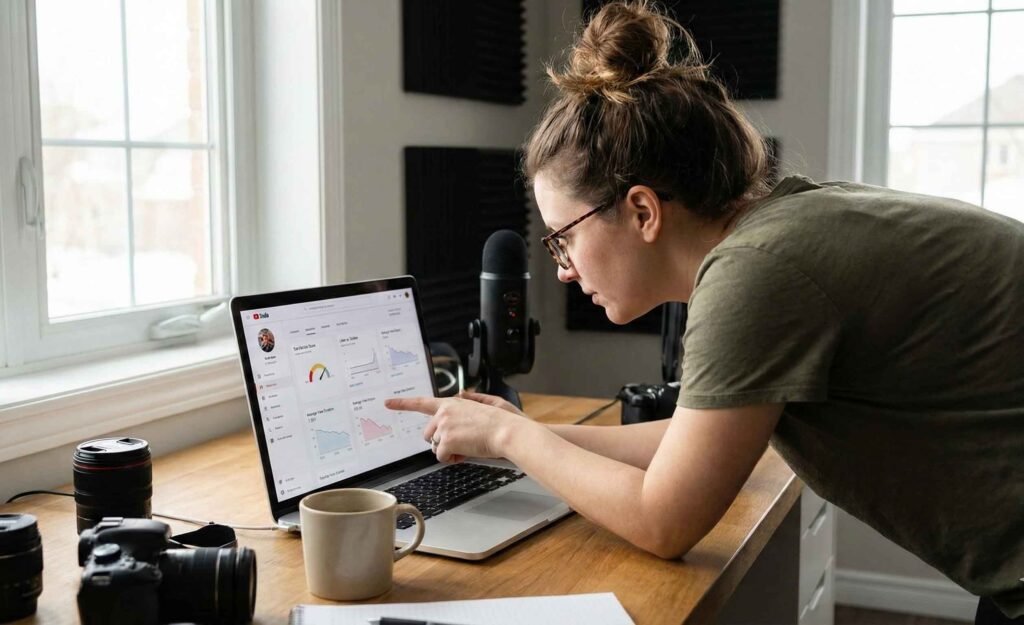
To truly understand if your dislikes are hurting you, you need to go beyond the surface numbers. You need to perform a diagnostic check using your dashboard.
Step-by-Step Studio Walkthrough
To analyze your own data, open YouTube Studio on your desktop and follow these steps:
- Select Content in the left sidebar.
- Click the Analytics icon for a specific video that has high dislikes.
- Select the Engagement tab.
- Locate the ‘Likes (vs. Dislikes)’ card.
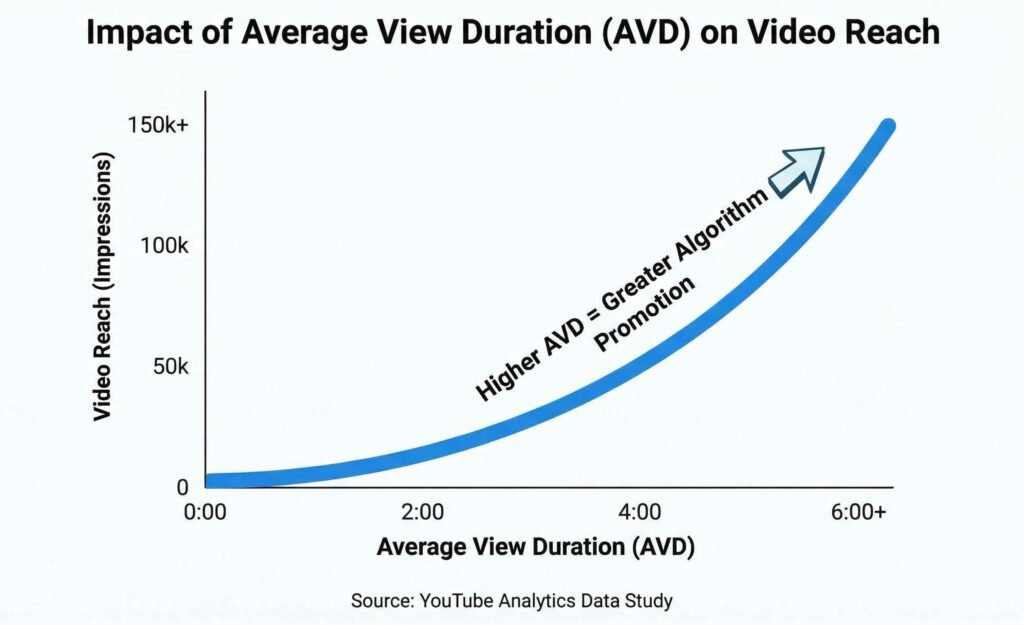
- Cross-reference this percentage with your Average View Duration (AVD).
By comparing these two metrics, you can find where your video sits on the “Risk Matrix.”
The Two Zones of Performance
- The Polarization Zone: This occurs when you have High Dislikes (15-30%) but also High AVD (Over 50%). This indicates that viewers are watching the full video despite a difference in opinion. Because they are staying on the platform, this typically helps your reach.
- The Suppression Zone: This is the danger area. It consists of High Dislikes paired with Low AVD (Under 25%). This signals a “Satisfaction Gap.” Consequently, if people dislike and immediately exit, YouTube identifies the content as a poor match for that audience and reduces impressions.
Pro Tip: You can also use the “Ask Studio” AI at the top of your dashboard. Type: “What is the sentiment of this video?” and it will summarize the ratio and comment tone for you automatically.
The 12% Metric: What Research Actually Says
We don’t have to guess how much the dislike button matters. Research from the Mozilla Foundation provided some shocking clarity on how much control these buttons actually have over the recommendation engine.
The study found that the dislike button only stops about 12% of future recommendations.
A Personalized Filter, Not a Global Ban
The dislike button serves primarily as a personalized filter. If a specific viewer dislikes your content, YouTube stops showing it to them. However, if your AVD is high, the algorithm will continue to test the video with new audience segments.
According to Mozilla’s research on user controls, many of the “feedback” tools on YouTube are less effective than users think. This means your only real risk is a drop in retention. If a dislike is followed by a “Don’t Recommend Channel” click, that is a much stronger signal than a simple thumbs down.
Why Your Impressions Are Actually Dropping
If it isn’t the dislikes, then why do views sometimes crater when a video is controversial? Usually, it comes down to three factors that affect the Satisfaction Score more than a dislike ever could.
1. The Click-Through Rate (CTR) Crash
When a video gets a lot of negative attention, people may stop clicking on it in their feed. If your CTR drops from 8% to 2%, YouTube will stop showing the video because it’s taking up “prime real estate” that isn’t being used.
2. The “Stop Request” Signal
As noted by the Pew Research Center’s studies on social media algorithms, platforms prioritize content that keeps users engaged. If a dislike leads to the user closing the app entirely, that is a “Session End.” This is the ultimate sin in the eyes of the algorithm.
3. Audience Misalignment
Sometimes, a video gets “pushed” to the wrong audience. For example, if a vegan cooking video is shown to steak enthusiasts, the dislikes will climb. YouTube isn’t punishing the creator; it’s simply learning that this specific group doesn’t like this specific content.
How to Recover from a High-Dislike Video
If you find yourself in the “Suppression Zone,” don’t panic. You can still save the video or at least protect your channel’s future performance.
- Check your Intro: If the dislikes are coming from people leaving in the first 30 seconds, your title or thumbnail might be misleading. Fix the “clickbait” to match the actual content.
- Acknowledge the Friction: Use the community tab to talk to your audience. If you made a mistake, an apology or a clarification can turn those dislikes into “Supportive Likes.”
- Check “New vs. Returning” Viewers: If the dislikes are coming from new viewers, your SEO might be targeting the wrong keywords. For more on this, read our guide on YouTube keyword strategy.
- Review Your Ethics: Ensure your content follows the YouTube Community Guidelines to avoid actual platform strikes, which are much worse than dislikes.
Summary: Focus on Retention, Not Ratios
Ultimately, the “Satisfaction Score” is a combination of how long people watch and how they feel afterward. While dislikes are a part of that, they are a very small part compared to Average View Duration.
As long as you are providing value and keeping people on the platform, the algorithm will continue to work for you. Don’t fear the thumbs down; fear the “Close Tab” button. If you want to dive deeper into the technical side of things, check out our breakdown of YouTube algorithm secrets.
If you found this breakdown helpful, make sure to subscribe to the YT Torials newsletter for weekly deep dives into creator data. Also, don’t forget to subscribe to the YT Torials YouTube page so you never miss a tutorial!
Follow YT Torials:


No responses yet