Whether you are a Streamer, Vlogger, or a niche educator, you want your content to look the best it possibly can. Visual quality is the first thing a viewer notices before they even hear you speak. Which brings us to Placeit. You are likely wondering if having a subscription with this website can give you the boost in quality that you want.
Without a doubt, this tool will give your content a professional edge, but is it worth the asking price in 2026? While general design tools like Canva and niche-focused competitors like Kittl have aggressively added features, Placeit maintains a specific edge in two categories: the sheer volume of realistic mockups and its YouTube/Gaming asset library.
1. The Mockup King (Placeit’s Biggest Edge)
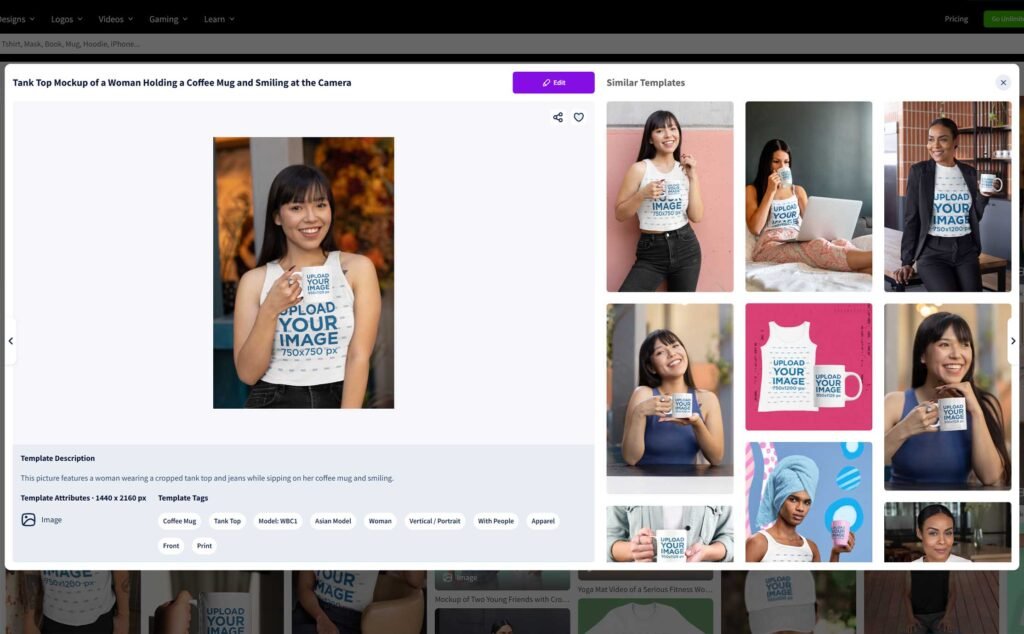
Even with Canva’s Smartmockups integration and the rise of AI-generated product photos, Placeit remains the industry leader for variety.
The Stats: Placeit features over 34,900+ mockups, with recent 2026 reports suggesting the library is approaching the 50,000 mark.
The Advantage: Unlike Canva, which often feels “stocky,” Placeit’s mockups include diverse models across different ethnicities, ages, and body types. For POD (Print on Demand) sellers on Etsy or Shopify, this “lived-in” look sells products better than a flat lay or an AI image that might look slightly “uncanny.”
The Competitor Gap: Tools like MediaModifier or Smartmockups are great but often lack the apparel-specific depth (hoodies, leggings, beanies) that Placeit excels at.
All you need to do is upload an image and type in your text. When you’re done, you can download the final result as a high-resolution PNG file. However, keep in mind that some assets are aged; the library could still use a bit more modern updating to match the latest streetwear trends.
2. Branding for Streamers and YouTubers
If you are a creator on Twitch or YouTube, Placeit is still the most efficient “one-stop shop” in 2026.
- Twitch/Gaming: They offer cohesive “packs”—you can get a logo, an OBS overlay, “Starting Soon” screens, and panels that all match. This creates a professional brand identity instantly.
- YouTube: Their intro and outro makers are incredibly fast. While Canva is better for complex video editing, Placeit is faster for “plug-and-play” animations where you just need to swap text and a logo.
Placeit offers 900+ video animation makers and over 1,000 free music tracks. You can edit the featured text, audio tracks, and playback speed(0.5x, 1x, or 1.5x) before downloading your project as an MP4 file.
3. Placeit vs. The New Competition (2026 Comparison)
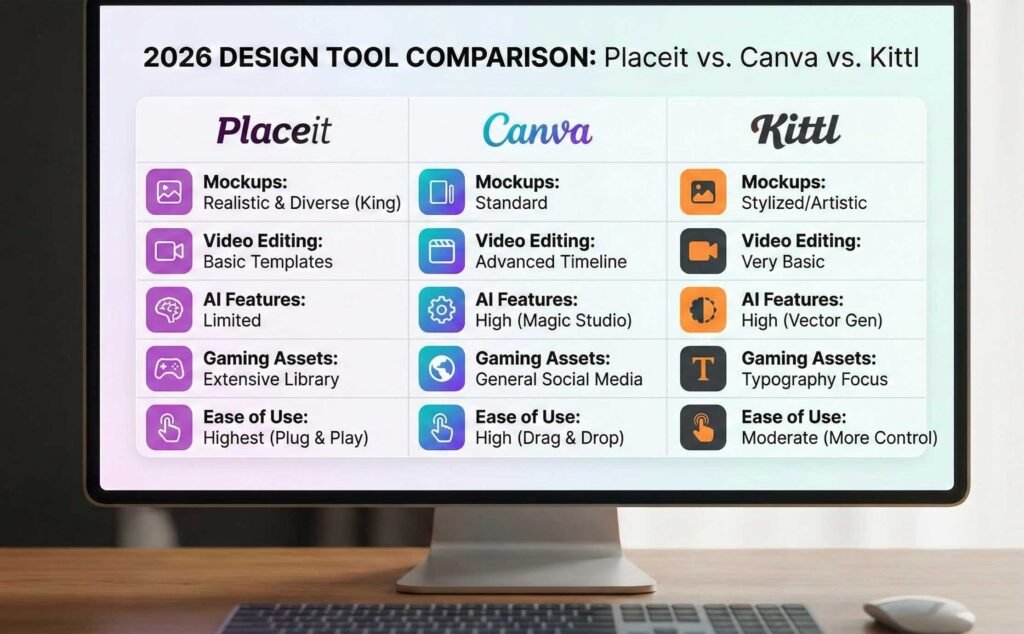
To help you decide, here is how Placeit stacks up against the biggest names in the design world this year.
| Feature | Placeit | Canva (Smartmockups) | Kittl |
| Best For | Mockups & Gaming Assets | General Social Media & Teams | Typography & Vintage Logos |
| Mockup Quality | High (Realistic/Diverse) | Moderate (Standard) | High (Artistic/Stylized) |
| Ease of Use | Highest (Almost no tools) | High (Drag & Drop) | Moderate (More control) |
| Video Editing | Basic (Templates only) | Advanced (Full Timeline) | Very Basic |
| AI Features | Limited (Smart Search) | High (Magic Studio/AI Edits) | High (AI Vector Gen) |
Here’s a brief breakdown of templates you can design on Placeit:
- Mockups
- End Screen templates
- Intros and outros
- Thumbnails and bannners
- Clothing
- Logos
- Other print-on-demand products

Mockups
You have 34,900+ mockups to choose from. The library is versatile and simple to navigate. You can search through filters (the type of mockup, gender, age, ethnicity, and tags) until you find just the perfect fit for your product and target audience.
However, some of the available assets are a little aged. The Placeit mockup selection could do with some much needed updating.
Other than that, the website holds up well when creating your mockups. All you need to do is upload an image in the specified dimensions and type in your text. When you’re done, you can download the final result as a high-resolution PNG file.
Logos
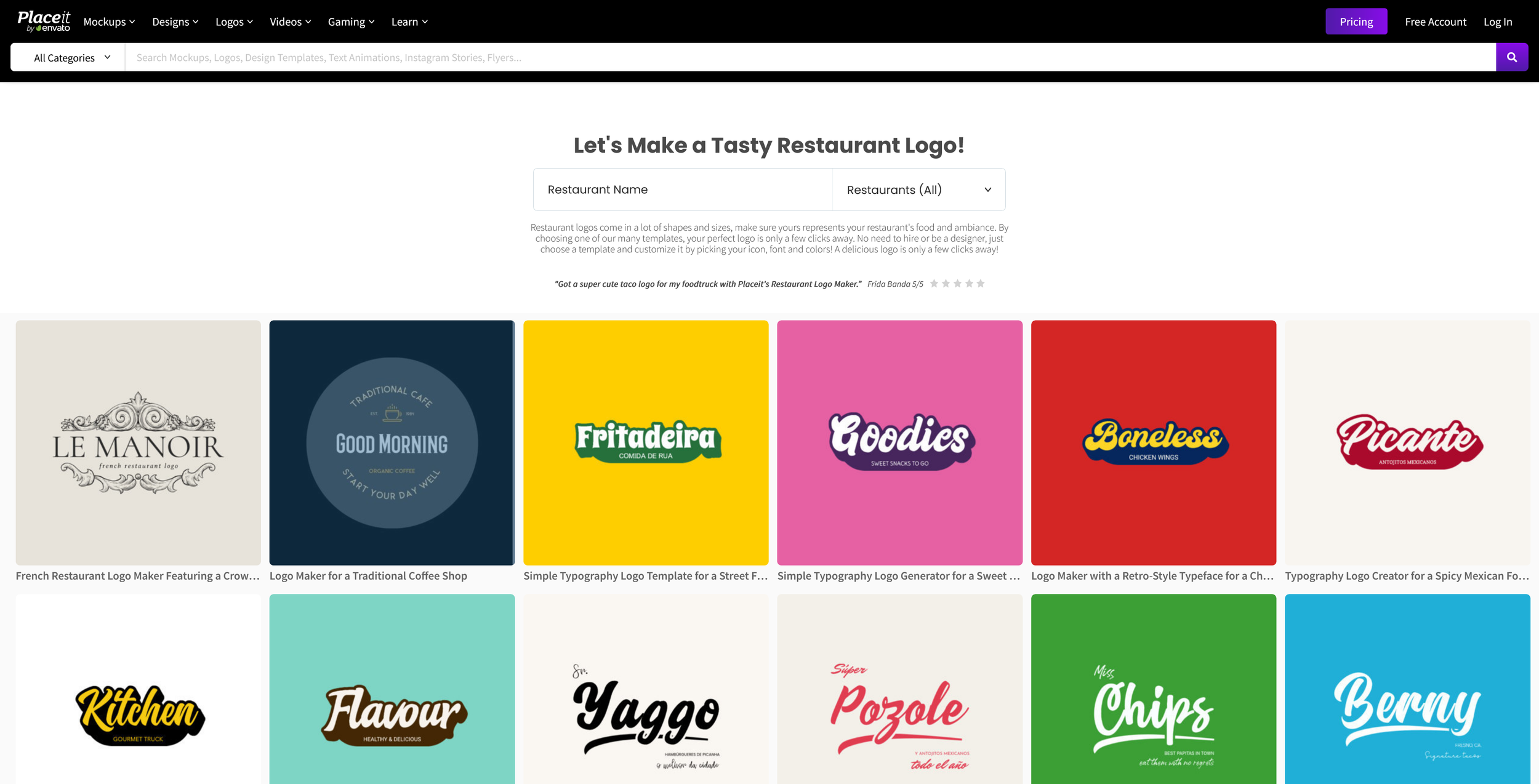
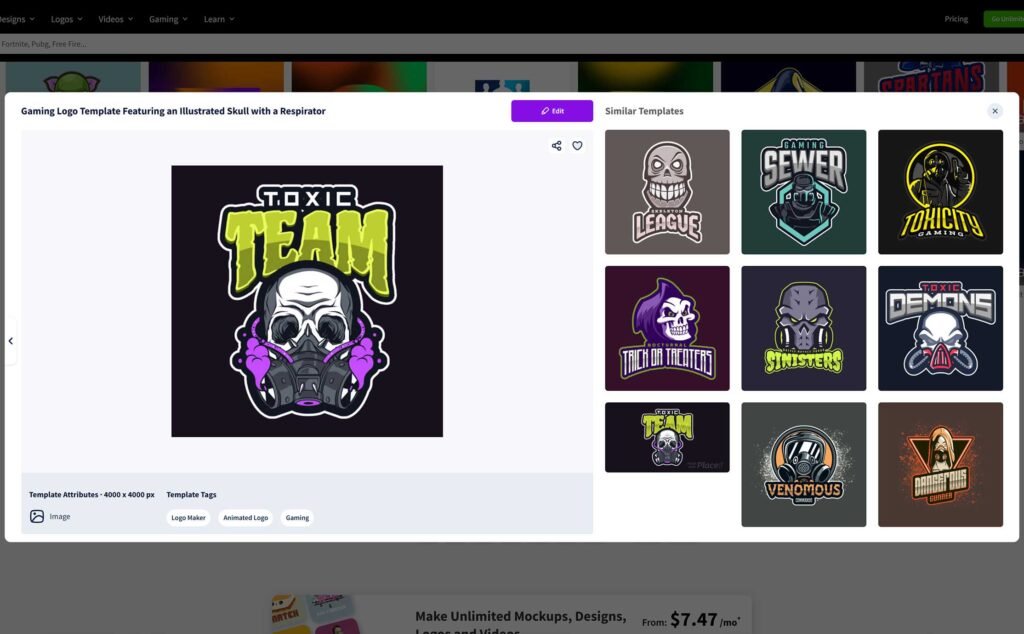
Placeit’s endless talents extend to logo making. 4,600+ templates are waiting for your creative vision. They are organized into categories based on business types.
It’s a decent selection with good coverage — there’s surely a Placeit logo for any company.
Categories include:
- Clothing & beauty
- Lifestyle & fitness
- Education & arts
- Finance & legal
- Healthcare
- Architecture & design
- Gaming
And more!
On the other hand, the same editing limitations I’ve previously mentioned apply here. The Placeit logo maker isn’t that different, however, you can also change the logo layout now.
When you’re done customizing, you can download your design as a 4000×4000 PNG or PDF.
In addition, I’m pleased to report that many free logos are available in the same high resolution.
Videos
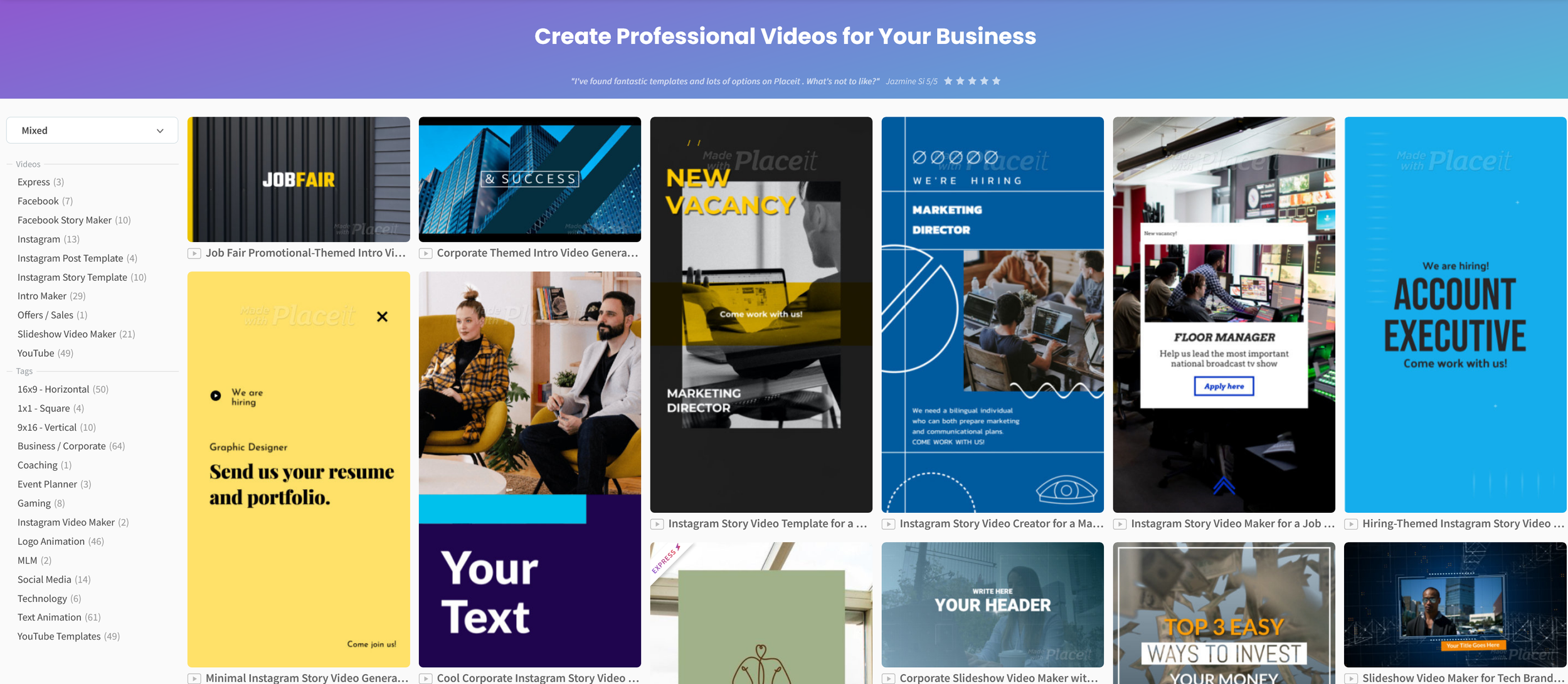
Placeit offers 900+ video animation makers and templates and over 1000 free music tracks to go with them. The helpful search filters ensure you find just what you need.
Placeit videos come in many shapes and types, such as:
- Intros, outros, and slideshows
- Gaming videos — animated logos, Twitch screens, and YouTube templates
- Social media videos — Facebook covers, Instagram posts and stories, and promo videos
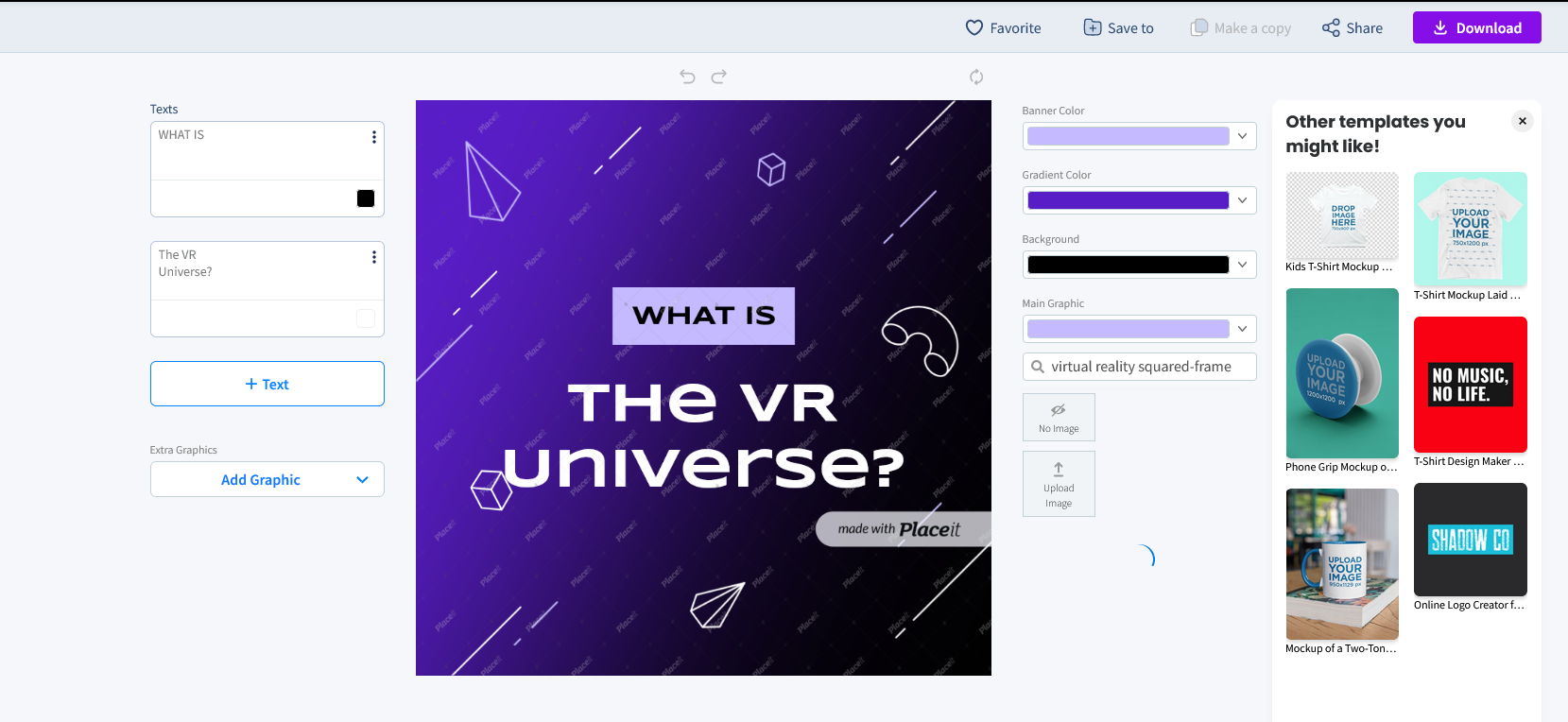
On the whole, the Placeit video maker is simple to use. After you’ve picked a template, you can reshape it into your dream video in a matter of minutes. You can edit:
- The featured text — type in your text and adjust the size, color, and font.
- The audio track — choose a free song from the audio library.
- The slides — change the background, highlights, and details, and add new slides.
- The playback speed — choose between three levels: 0.5, 1, or 1.5.
Finally, you can download the product of your labor as an MP4 file.
Gaming
The Placeit app has a dedicated gaming section. It has everything you need from A to Z for branding your channel. It lets you create:
- Animated logos
- Merch — t-shirt mockups and designs
- Streaming templates — OBS stream overlay and Starting Soon screens
- Twitch templates — banners, offline banners, overlays, and panels
- YouTube templates — intros/outros, banners, end cards, and thumbnails.
The merch subsection can also be expanded, so it’s not just t-shirts. Other than that, this set of streaming assets and tools is a real hit.
There are even additional resources to boost streams, like the Placeit Twitch guide and gamer tips.
So how is Placeit’s Pricing?
The service has plenty of free templates and mockups in store. The best part is that they’re not watermarked when you download them.
To be able to see everything, you will need to upgrade to the Unlimited subscription.
Other than that, there’s the single design purchase option – the price depends on the asset. Logos have a fixed price, though.
Here’s how they compare:
- The Placeit monthly subscription — $14.95 per month
- The Placeit yearly subscription — $89.69 per year (or $7.47 per month, so you will save 50%)
- The single logo option — $39.95.
You can cancel your subscription anytime. A commercial license is included with all purchases, even the free ones. Be sure to commit to your investments, though, as you can’t refund them.
All things considered, Placeit is a great deal whether you have ongoing branding needs or require one specific design. As long as you don’t expect any complex designs, you should be all set.now.
Are There Any Cons?
No tool is perfect. First off, Placeit doesn’t offer a traditional free trial before you buy a subscription (though the free section acts as a preview). Despite updates in 2025 and 2026, Placeit still has some recurring frustrations:
“Aged” Content: Some of the older mockups from the 2010s are still in the library and look dated. You have to filter for “Newest” to get the 2026 aesthetic.
Limited Customization: You cannot move elements freely like you can in Kittl or Photoshop. If a template has a text box in the middle, it usually stays in the middle.
Subscription Issues: Recent user reviews (late 2025-early 2026) still report difficulty with the cancellation process and “predatory” billing cycles. Pro tip: If you subscribe, be very careful to verify your cancellation through your account settings.
As long as you don’t expect the deep customization of a professional design suite, you should be all set. If you need more control over your layers, you might want to read our article on the best graphic design tools for beginners.
The Verdict: Is It Worth It?
Overall, Placeit is a great asset for any content creator. Even though some templates feel similar, the sheer volume of choices makes it a smart purchase. It is especially valuable if you plan to do video editing or branding for others, as it allows you to churn out high-quality work in a fraction of the time.
If you found this guide helpful and want to stay updated on the best tools for creators, be sure to subscribe to the YT Torials newsletter. For more hands-on video guides and walkthroughs, subscribe to the YT Torials YouTube page and join our growing community of successful creators!
Follow YT Torials:

No responses yet