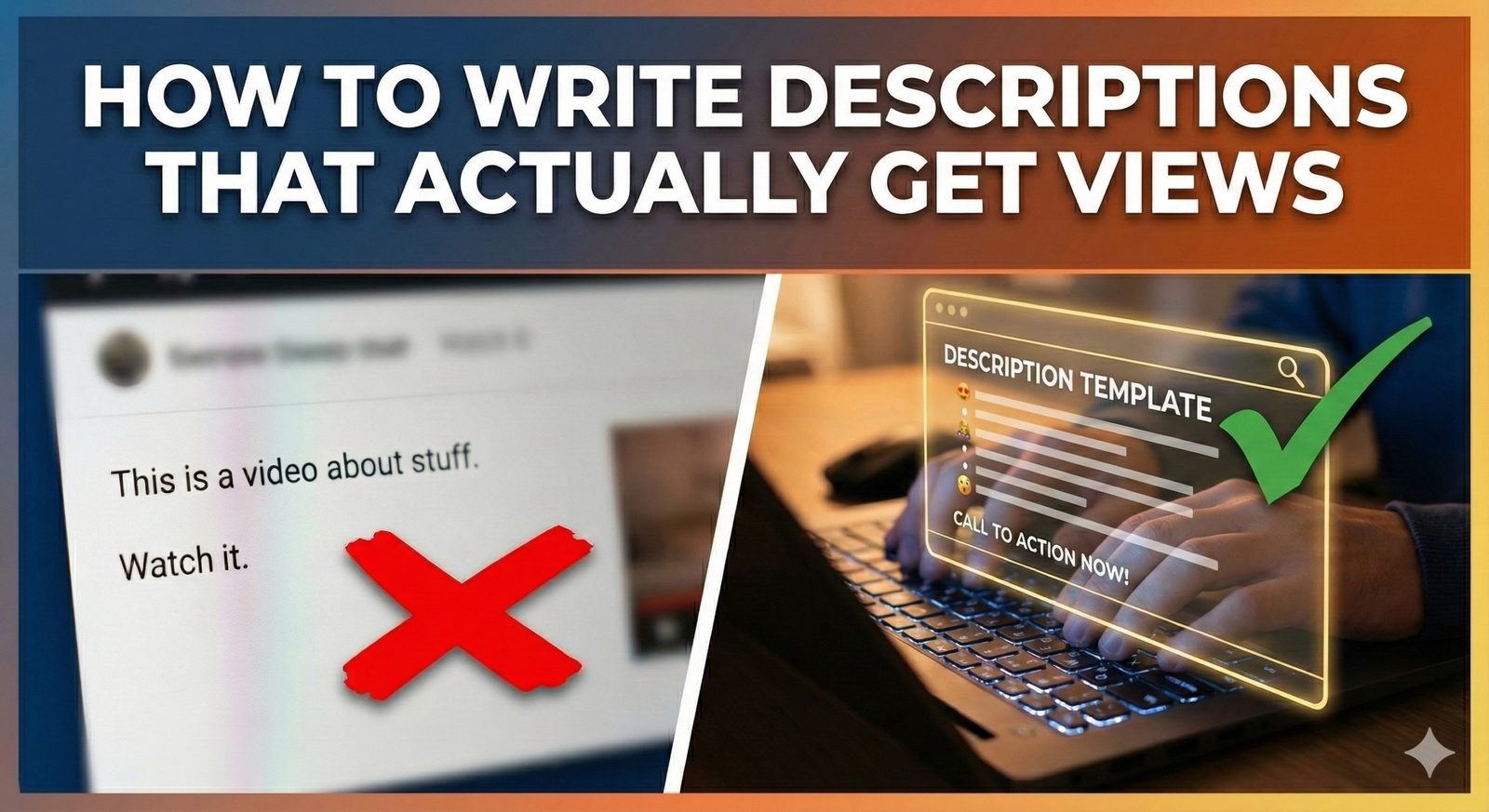
You spend hours editing your video, perfecting the thumbnail, and crafting a catchy title. Then, you get to the description box. You sigh, paste a generic “Thanks for watching!” and hit upload.
If this sounds like you, you are leaving views on the table.
Many creators treat the description box like a junk drawer—a place to dump links and keywords without much thought. But the truth is, your video description is one of the most powerful tools you have to rank in search, hook viewers, and drive traffic to your other content.
In this guide, we will break down exactly how to write a description that pleases the YouTube algorithm and actual human beings. Plus, we’ve included a “fill-in-the-blank” template you can steal for your next upload.
Why Your Video Description is a Secret Weapon
There are two main reasons why you cannot ignore your description: Discovery and Conversion.
1. It Helps YouTube Find You
YouTube is the second largest search engine in the world. Its algorithm relies on metadata—your title, tags, and description—to understand what your video is about. If you don’t tell YouTube what your video is, it won’t know who to show it to.
According to Google’s official recommendations for creators, well-written descriptions with the right keywords can significantly boost your visibility and watch time.
2. It Convinces Humans to Click
Have you ever searched for a tutorial, seen a video, and read the little snippet of text under the title to see if it actually answers your question? That snippet is your description. If it looks spammy or empty, users might scroll right past you.
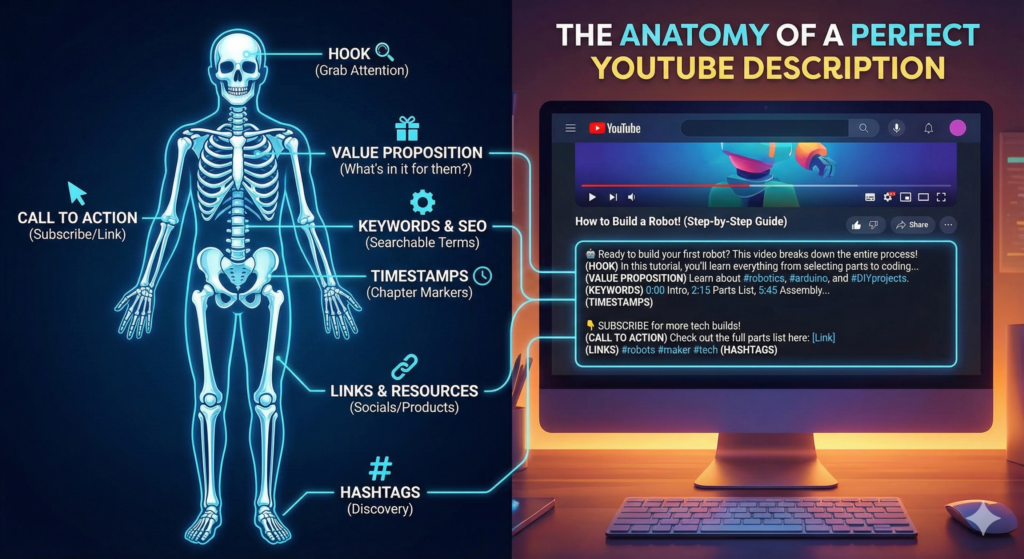
The Anatomy of a Perfect YouTube Description
A great description isn’t just a wall of text. It has a specific structure designed to maximize engagement.
The First 200 Characters (The Hook)
The first two lines of your description are the most critical real estate on your channel. This is the “above the fold” section. It is what viewers see in search results and on their mobile feeds before clicking “more.”
- Don’t: “Hey guys, welcome back to the channel, today we are talking about…”
- Do: “Learn how to bake the perfect sourdough bread in 3 easy steps. This no-knead recipe is perfect for beginners…”
Key Takeaway: Put your main keyword and the “promise” of the video in the very first sentence.
Optimized Keywords and SEO
You want to include keywords naturally. If your video is about “iPhone Photography Tips,” use related phrases like “mobile photography,” “camera settings,” and “taking better photos.”
However, avoid “keyword stuffing.” This is when you paste a list of words at the bottom of your description (e.g., iphone, apple, photo, pics, camera, best camera). YouTube’s algorithm is smart enough to detect this, and it can actually hurt your ranking.
Timestamps (Chapters)
Adding timestamps is a game-changer. It helps viewers navigate to the specific part of the video they need. But more importantly, Google Search often uses these chapters to show “Key Moments” directly in search results, giving you more space on the page.
Format them like this:
- 00:00 – Intro
- 02:15 – Setting up the camera
- 05:30 – Lighting tips
- 08:45 – Final results
Links and Calls to Action (CTAs)
Once you have hooked the viewer, tell them what to do next. This is where you link to:
- Your social media.
- Affiliate products mentioned in the video.
- Your own products or newsletter.
- Related Videos: If you want to boost your click-through rate across your channel, link to a related video or playlist here. This keeps viewers in your ecosystem.
Common Mistakes That Kill Your Reach
Before we get to the template, let’s make sure you aren’t making these rookie errors.
- Leaving it blank: This is a wasted opportunity for SEO.
- Burying the lead: Don’t put the important info (like your affiliate link or main topic) at the very bottom where no one will see it.
- ** ignoring mobile users:** Remember that mobile users see even less text before clicking “more.” Make those first few words count.
- Using a “link tree” only: While link trees are great for Instagram, YouTube allows you plenty of space. List your links out clearly so people know exactly what they are clicking.
For a deeper dive into ranking factors, TubeBuddy’s 2025 analysis highlights that descriptions are still a “strong growth driver” when structured correctly.
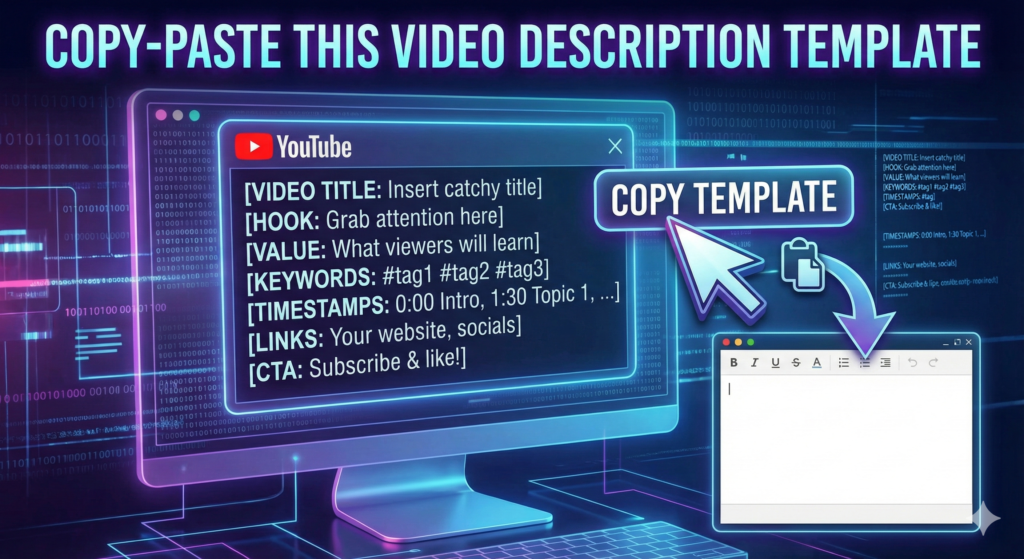
Copy-Paste This Video Description Template
You don’t need to reinvent the wheel every time you upload. Use this template as a base and fill in the blanks.
[Primary Keyword/Hook Sentence]: In this video, I’m going to show you [What you will teach/show]. If you are looking for [Secondary Keyword] or [Related Problem], this video covers exactly what you need to know.
In this video, we cover:
- [Key Point 1]
- [Key Point 2]
- [Key Point 3]
Resources Mentioned:
- [Link to Product A]
- [Link to Article B]
Timestamps:
- 00:00 – Introduction
- 01:30 – [Topic 1]
- 04:45 – [Topic 2]
- 09:00 – Conclusion
Watch Next:
- [Title of Related Video] – [Link]
- [Title of Related Playlist] – [Link]
Let’s Connect:
- Instagram: @[YourHandle]
- Twitter: @[YourHandle]
- Website: [YourWebsite]
Subscribe for more [Niche] tips: [Your Subscribe Link]
Measuring Success
How do you know if your new descriptions are working? You need to check your analytics.
Go to YouTube Studio and look at your Traffic Sources. If you see an increase in traffic from “YouTube Search” or “Suggested Videos,” your improved metadata is likely helping the algorithm categorize your content better.
You should also look at your CTR (Click-Through Rate). While thumbnails and titles do the heavy lifting here, a good description snippet can be the deciding factor for a viewer on the fence.
If you are struggling to keep track of all these steps, you might want to bookmark our complete YouTube SEO checklist to ensure you never miss a step during the upload process.
Conclusion
Writing a great description doesn’t have to be a chore. By using a template and focusing on the first two lines, you can turn that empty white box into a view-generating machine. Remember, YouTube wants to help viewers find the right content. When you write a clear, keyword-rich description, you are helping YouTube help you.
Ready to take your channel growth seriously? Subscribe to the YT Torials newsletter today for weekly tips, templates, and strategies delivered straight to your inbox.
Popular Posts
Follow YT Torials:

No responses yet