You opened the email, negotiated the rate using our Negotiation Cheat Sheet, and the brand said “Yes.”
The excitement is high. You are ready to grab your camera and start filming. But then, an hour later, a dense, 15-page PDF lands in your inbox: The Agreement.
Most creators glaze over at this point. They scroll to the bottom, sign on the dotted line, and pray for the best.
Do not do this.
The contract is not a formality; it is the rulebook for your relationship. If you sign a bad contract, you could be giving away the rights to your face forever, agreeing to work for free, or blocking yourself from making money with other brands for years.
Disclaimer: I am not an attorney. This guide is for educational purposes. For high-value contracts, always consult a legal professional.
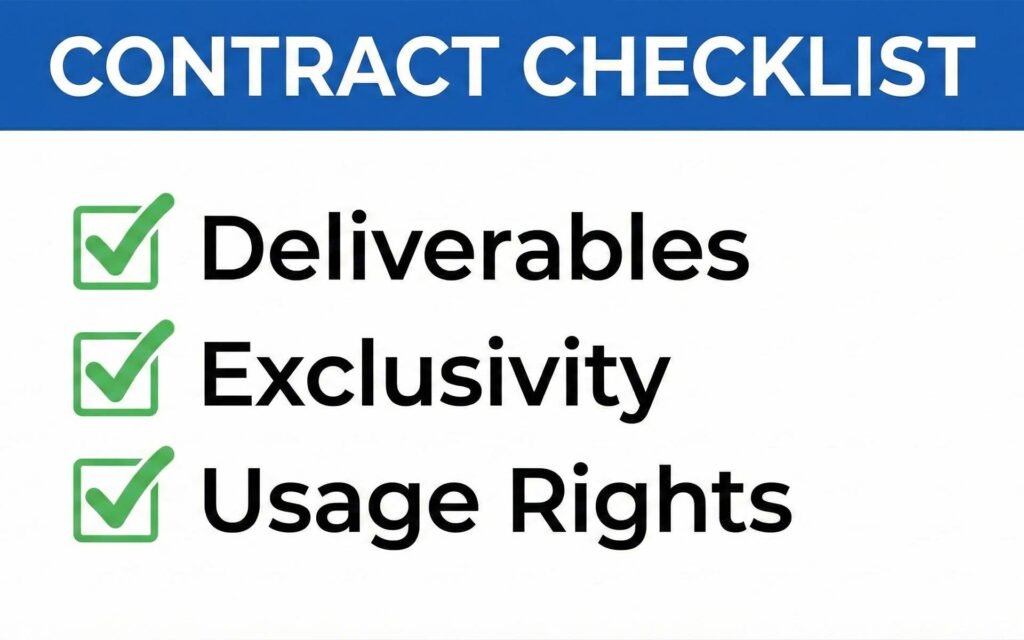
Here are the 7 Deadly Contract Traps you must find and delete before you sign.
Trap 1: The “In Perpetuity” Clause (The Forever Trap)
This is the most dangerous phrase in the influencer marketing world.
What to look for:
“Creator grants Brand the right to use the Content in perpetuity and throughout the universe.”
Translation: “In perpetuity” means forever. If you sign this, the brand can use your video, your face, and your voice in their commercials 10, 20, or 50 years from now.
According to legal experts at The Authors Guild, you should limit the license duration.
The Horror Story: Imagine you film a skincare routine for a startup brand today. Five years from now, you are a huge star with a Netflix show. That skincare brand—which might have rebranded or been sold to a shady company—is still running Facebook ads with your face on them. You cannot stop them because you signed away your rights “in perpetuity.”
The Fix: Never grant rights forever unless they are paying you a “buyout” fee (which is usually 5x-10x the normal rate). Instead, limit the usage to a specific time frame.
The Redline Script:
“Please change ‘in perpetuity’ to ‘for a period of 12 months.’ If you require usage rights beyond one year, we can discuss a renewal fee closer to that date.”
Personal Experience
I had to end a contract with a company that I wanted to work with because of this exact reason. They wanted to use the video In perpetuity and I disagreed. It was hard to walk away from that because it was and still is the highest amount I would’ve been paid for 1 video.
But it had to be done.

Trap 2: Broad Exclusivity (The Income Killer)
Exclusivity prevents you from working with competitors. Brands love this because they want to “own” your audience. However, if the language is too broad, it can destroy your income for months.
What to look for:
“Creator agrees not to work with any technology companies for 6 months.”
The Problem: “Technology companies” is way too broad. If you are reviewing a VPN, does this clause stop you from reviewing a laptop? A gaming mouse? A smartphone? Technically, yes. You just accidentally banned yourself from taking any other sponsorships in your niche.
The Fix: You must narrow the scope of exclusivity to the direct competitor category.
The Redline Script:
“The term ‘technology companies’ is too broad and restricts my ability to run my business. Please change this to ‘VPN companies‘ (or the specific product category). I am happy to grant exclusivity against direct competitors, but not the entire industry.”
If you didn’t discuss this before, do it now. Don’t give them exclusivity for free.
Trap 3: “Work Made for Hire” (Losing Ownership)
This is a sneaky copyright term that transfers actual ownership of the video file to the brand.
What to look for:
“The Content shall be deemed a Work Made for Hire…”
Translation: If a video is a “work made for hire,” you do not own it. The brand does. They can take your video, re-edit it to make you say things you didn’t say, sell it to a TV station, or upload it to their own YouTube channel and strike your channel for copyright infringement.
The Fix: You are a creator, not an employee. You should retain ownership of the video, and you are simply “licensing” the brand the right to view it or use it for ads.
The Redline Script:
“As a creator, I retain full ownership of all raw footage and final edits. I am granting [Brand Name] a license to use the content as defined in the ‘Deliverables’ section. Please remove the ‘Work Made for Hire’ language.”
Trap 4: Payment Terms (The “Net 90” Nightmare)
You did the work. You want to get paid. But the fine print dictates when that money actually hits your bank account.
What to look for:
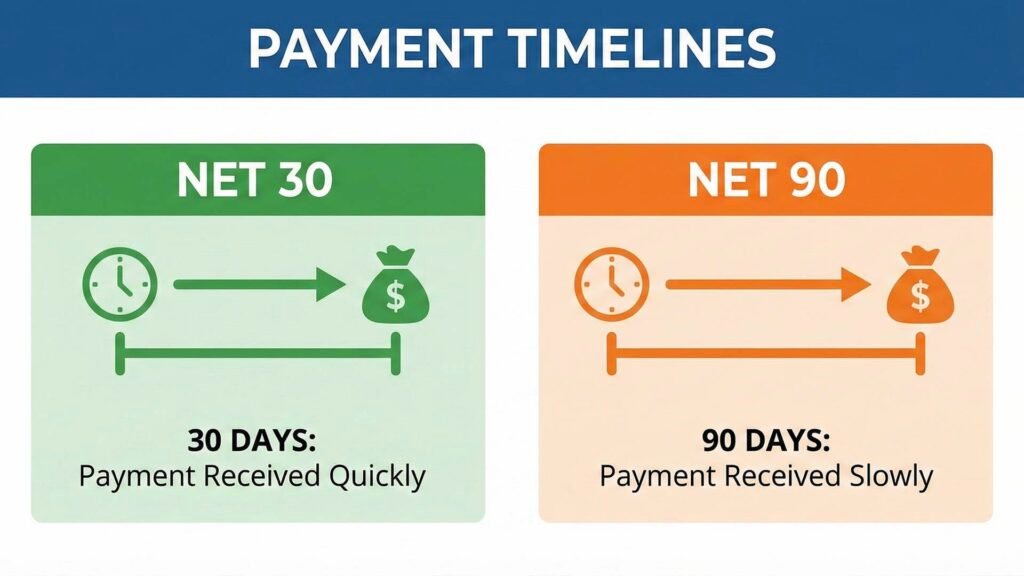
“Payment will be issued Net 90 days from the acceptance of the final deliverable.”
Translation: “Net 90” means they will pay you three months after the work is done. Even worse, if it says “after acceptance,” they can delay “accepting” the video for weeks, pushing your payment out even further.
The Fix: Standard creator terms should be Net 15 or Net 30. If a brand insists on Net 60 or Net 90, you are effectively giving them a 3-month interest-free loan.
The Redline Script:
“My standard payment terms are Net 30. Please update the schedule. Additionally, for a project of this size, I require a 50% deposit prior to the start of production.”
Pro Tip: Always ask for 50% upfront. It protects you if the brand goes bankrupt or cancels the project halfway through.
Trap 5: Uncapped Revisions (The Scope Creep)
You film a beautiful video. The brand asks for a change. You do it. They ask for another change. Then they decide they don’t like the shirt you are wearing and want a reshoot.
What to look for:
“Creator will make edits to the satisfaction of the Brand.”
The Problem: “To the satisfaction” is subjective. If the marketing manager is having a bad day, they can make you edit the video 10 times. This turns a 5-hour job into a 50-hour nightmare.
The Fix: Define the number of revision rounds clearly. Distinguish between “Creative Edits” (changing the vibe) and “Factual Edits” (fixing a wrong price or date).
The Redline Script:
“This agreement includes two (2) rounds of creative revisions. Any additional creative revisions or reshoots requested after approval of the concept will be billed at an hourly rate of $X. Factual errors will be corrected free of charge.”
Trap 6: The “Kill Fee” (Your Safety Net)
What happens if you script, film, and edit the video, but then the brand emails you and says, “Actually, we decided to cancel the campaign. Sorry!”?
If you don’t have a “Kill Fee” (Cancellation Clause), you get $0. You did all the work for free.
What to look for: Absence of a cancellation clause. If it’s not there, add it.
The Fix: You need a sliding scale that guarantees payment based on how much work you have already done.
The Clause to Add:
“Cancellation/Kill Fee:
- If cancelled after contract signing but before filming: 50% of total fee.
- If cancelled after filming begins: 100% of total fee.”
Trap 7: Indemnification (The Shield)
This is the most boring section, but it protects you from getting sued.
What to look for: One-sided indemnification. This usually says: “Creator agrees to pay for all legal damages if the Brand gets sued because of the video.”
The Problem: What if the brand gave you a script that made a false health claim, and they get sued? Why should you pay for their mistake?
The Fix: Indemnification must be mutual. If you screw up (e.g., use copyrighted music you didn’t pay for), you pay. If they screw up (e.g., their product explodes or their claims are false), they pay.
The Redline Script:
“Please ensure the indemnification clause is mutual. [Brand Name] should indemnify me against any claims arising from the product itself, the provided talking points, or materials supplied by the Brand.”
How to “Redline” a Contract (The Professional Way)
You do not need to be a lawyer to request changes. In fact, marketing managers expect it. Here is the professional workflow for sending your edits:
- Do not edit the PDF directly. Ask the brand for the Word Document or Google Doc version of the contract.
- Turn on “Track Changes” (or “Suggesting” mode in Google Docs). This shows your edits in red so the brand can easily see what you changed.
- Be polite but firm. When you email the contract back, don’t be aggressive.
The Email Template:
“Hi Team,
Thanks for sending this over! I’ve reviewed the agreement and made a few redlines to align with my standard operating terms regarding usage rights and payment schedules.
I’ve attached the revised version here. Once we get these small points ironed out, I’m ready to sign and get started on the creative!”
Protect Your Business
Reading contracts is boring. Getting sued or exploited is worse.
By spending 15 minutes reviewing these 7 points, you ensure that your sponsorship career is long, profitable, and safe. You are moving from a “YouTuber” to a “Media Executive.”
Once the contract is signed, the real work begins. You have to make the video, get it approved, and—most importantly—ensure you actually get the money.
Next Step: Now that you are legally protected, it’s time to execute. Proceed to the final guide in our series: The Sponsorship Deliverables Checklist: How to Get Paid and Re-Hired.er. Additionally, head over and subscribe to the YT Torials YouTube page for video breakdowns of real creator contracts.
Follow YT Torials:

No responses yet