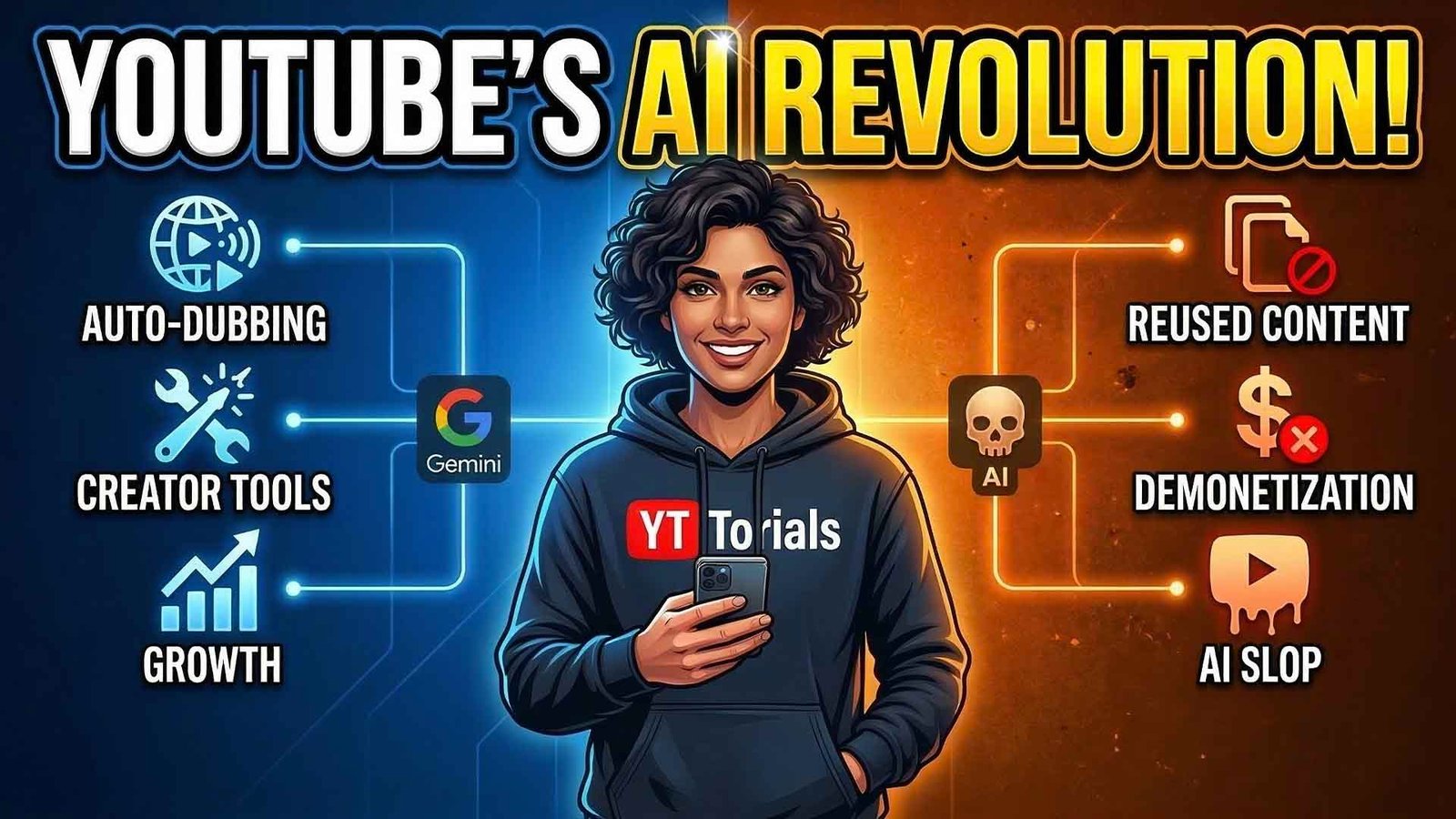
In early 2026, YouTube CEO Neal Mohan sent a clear message in his annual letter: AI is a tool for expression, not a replacement for creators. Since that announcement, we have seen a massive rollout of features that have fundamentally changed how videos are made and found.
However, the “AI gold rush” has also brought a wave of low-quality “AI slop” that the platform is now aggressively scrubbing. Whether you’re a creator looking to scale or a viewer navigating “Altered Content” labels, this guide provides the roadmap you need to thrive in the new era of YouTube.
Table of Contents
- The “Good”: Native AI Tools for Creators
- The “How-To”: Master Dream Screen & Auto-Dubbing
- The “Bad”: Why “AI Slop” Channels are Being Deleted
- The 2026 Policy: Disclosure & Likeness Protection
- Impact on Viewers: AI Overviews & Conversational Search
- Expert Audit: Is Your Content AI-Safe?
1. The “Good”: Native AI Tools for Creators
By 2026, YouTube has integrated Google’s Gemini AI into nearly every corner of the Studio. The goal is to lower the “barrier to execution” while keeping the “barrier to strategy” high.
Key Features Released in 2026:
- Gemini-Powered Auto-Dubbing: Previously limited to top-tier creators, auto-dubbing is now available in 27 languages. It uses “Expressive Speech” technology to mimic your original tone and emotion, making a Spanish dub sound exactly like you speaking Spanish.
- The Inspiration Tab 2.0: This isn’t just a list of keywords anymore. The AI now analyzes your audience’s comments and watch history to suggest specific hooks, titles, and thumbnail A/B testing variations.
- Veo 3 Integration: Google’s high-fidelity video model is now built into Shorts. Creators can generate 6-second cinematic clips or dynamic backgrounds simply by typing a prompt.
2. The “How-To”: Master Dream Screen & Auto-Dubbing
Using these tools correctly is the difference between a viral hit and a video that looks like a robotic mess.
How to Use “Dream Screen” for Shorts
- Open the YouTube App and hit the + icon.
- Select Shorts and tap the Green Screen button on the right.
- Tap the Sparkle Icon (Dream Screen).
- The Pro Tip: Don’t just type “a forest.” Be specific: “A neon-cyberpunk forest with floating jellyfish, 4k, cinematic lighting.”
- Record yourself. The AI will perfectly key out your background in real-time.
How to Enable Auto-Dubbing
- Go to YouTube Studio on desktop.
- Select Content > Click a video.
- On the right sidebar, find the Audio Tracks section.
- Toggle on Automatic Dubbing.
- Review is Key: Always use the “Review” tool to check for translation errors in your top 3 target languages.
3. The “Bad”: Why “AI Slop” Channels are Being Deleted
In 2026, the term “AI Slop” has become a primary target for YouTube’s Trust and Safety team. Thousands of channels have been demonetized for Repetitious and Unoriginal Content.
What Triggers the “Slop” Filter?
The algorithm now looks for “fingerprints” of low-effort automation. If your channel does the following, you are in the danger zone:
- Templated Visuals: Using the same 5-second AI-generated loop for a 10-minute video.
- Unedited AI Narration: Using synthetic voices without adjusting the pacing, breath, or tone.
- Lack of Narrative Soul: AI can summarize facts, but it can’t provide a “hot take” or personal experience.
The Success Matrix: AI vs. Human
To hit a 10/10 quality score, you should aim for the “Hybrid” column below.
| Feature | Pure AI (Slop) | Pure Human (Traditional) | Hybrid (The Winner) |
| Scripting | 100% ChatGPT | Manual Research | AI Outline + Human Opinion |
| Voiceover | Robotic TTS | Professional Mic | AI Voice + Human Pacing Edits |
| Visuals | Static Stock Clips | Hand-filmed | AI B-Roll + Personal Vlogging |
| Monetization | High Risk | Safe | Safe & Efficient |
4. The 2026 Policy: Disclosure & Likeness Protection
YouTube’s transparency rules are now non-negotiable. If you fail to label AI content, you risk a Community Guidelines Strike.
The “Altered Content” Label
You MUST use the disclosure toggle if your video:
- Uses a Deepfake of a real person (even for parody).
- Synthetically creates a Realistic Event (like a fake news report).
- Uses AI-generated Likeness of a creator’s face or voice.
Likeness Protection (New for 2026)
YouTube has expanded its Content ID system to include “Face and Voice ID.” If someone uses an AI version of your voice in their video, you can now automatically claim the revenue or request a takedown, just like a copyright strike.
5. Impact on Viewers: AI Overviews & Conversational Search
For viewers, the YouTube app has become much smarter. You no longer have to scrub through a 20-minute video to find one answer.
- AI Search Overviews: When you search for “How to fix a leaky faucet,” an AI summary appears at the top. It summarizes the best steps from the top 3 videos and gives you a “Jump to Step” button.
- Conversational “Ask” Tool: Over 20 million users now use the “Ask” button under videos. You can ask, “What gear did he use at 5:42?” and the AI will scan the video and metadata to give you the answer instantly.
6. Expert Audit: Is Your Content AI-Safe?
Before you hit publish on your next video, run this 4-point “Expert Audit” to ensure you aren’t flagged by the 2026 algorithm.
- The Transformation Test: Did I add a unique opinion or edit that an AI couldn’t do?
- The Disclosure Check: If I used a realistic AI voice, did I check the “Altered Content” box?
- The Motion Audit: Are there at least 3 visual changes (cuts, zooms, text) every 10 seconds? (Static AI images are a red flag).
- The Thumbnail Accuracy: Does my AI-generated thumbnail actually match the video content, or is it “Clickbait Slop”?
Summary: Winning the AI Game on YouTube
The 2026 YouTube landscape rewards augmented creativity, not total automation. AI should be your producer, not your replacement. By mastering tools like Dream Screen and Auto-Dubbing while strictly following Disclosure Policies, you can reach a global audience faster than ever before. Remember: The algorithm follows the audience, and the audience follows human connection.
Want to stay ahead of the next algorithm update?
Join thousands of creators and subscribe to the YT Torials newsletter for weekly growth hacks. Don’t forget to follow our YT Torials YouTube channel for live demos of these AI tools!
Follow YT Torials:
Sign up to the YT Torials Newsletter


No responses yet