Every video creator eventually hits a wall when searching for the perfect digital asset. Free stock websites offer excellent starting points for new editors. However, professional workflows often demand a higher caliber of tools. The ongoing debate of Motion Array vs. Mixkit perfectly highlights this struggle. You want to keep project costs low without sacrificing production value. Therefore, understanding the exact tipping point between free platforms and paid subscriptions is critical for your growth. This guide breaks down both options objectively to help you make the smartest choice for your budget.
The Role of Stock Assets in Video Editing
Video editing requires more than just raw camera footage. Editors constantly need background music, sound effects, motion graphics, and B-roll to keep viewers engaged. Consequently, building a reliable library of assets becomes a daily necessity. Sourcing these files individually takes hours. Instead, creators rely on aggregate platforms that house thousands of files in one place.
Mixkit: The Best Free Starting Line
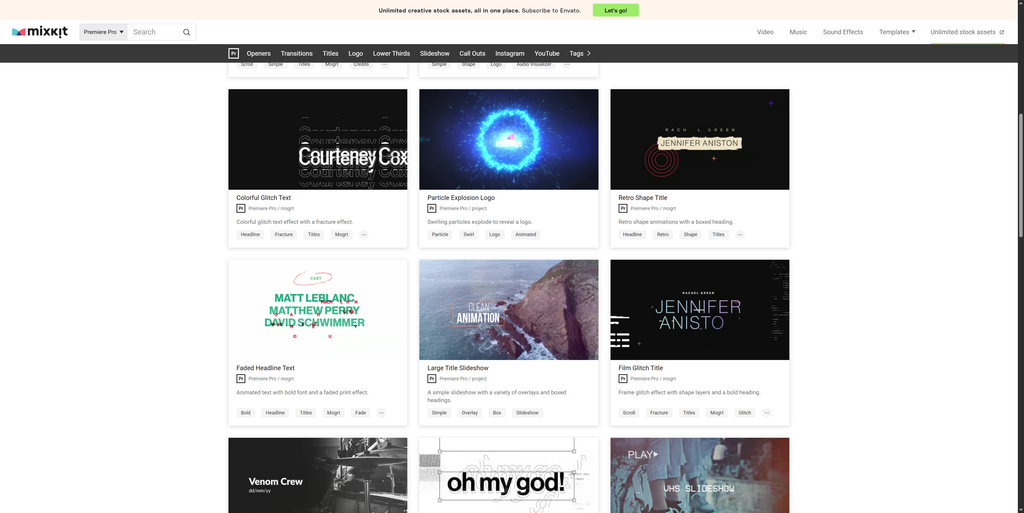
Mixkit is a free library of digital items created by Envato. It provides high-quality video clips, music tracks, sound effects, and video templates entirely for free. Furthermore, it does not require users to create an account or provide credit card information to download files.
Pros of Mixkit
- Zero Cost: Everything on the main platform is completely free to download.
- No Account Needed: You avoid the hassle of passwords and marketing emails.
- Quality Control: Envato curates the library, meaning the assets look highly professional compared to older free sites.
- Permissive Licensing: The Mixkit Free License allows for commercial use in internet-based videos without requiring attribution.
Cons of Mixkit
- Limited Library Size: Because it is free, the sheer volume of available assets is much smaller than paid platforms.
- Hidden Upsells: While browsing, you will frequently encounter sponsored Envato Elements watermarked items, which can be visually confusing when hunting for purely free files.
- The “Junk” Factor: Free sites require sifting through lower-tier content to find the gold. You may waste time downloading assets that look good on the site but fall apart or lack customization when dropped into an editing timeline.
Motion Array: The Paid Powerhouse
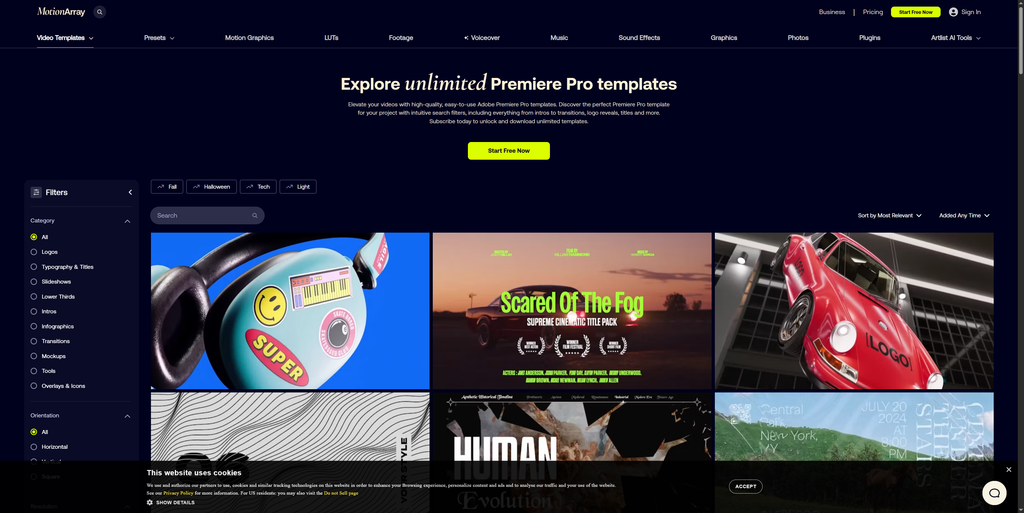
Motion Array operates as an all-in-one, subscription-based marketplace for video creators. For a flat fee, users gain access to millions of assets. Specifically, the platform offers everything from After Effects templates to royalty-free music, stock photos, and integrated software plugins.
Pros of Motion Array
- Massive Library: The catalog features millions of premium assets across every category imaginable.
- All-Inclusive Pricing: The “Everything Plan” costs $24.99 per month (billed annually) and unlocks the entire platform.
- Integrated Plugins: Subscribers get access to editing plugins that integrate directly into programs like Premiere Pro, enabling a drag-and-drop workflow.
- Universal Protection: Once you use an asset in a project while subscribed, that specific project remains legally cleared forever.
Cons of Motion Array
- Upfront Cost: To get the best rate, you must pay roughly $300 upfront for the annual plan.
- Download Caps: Recent terms have capped automated or excessive downloading to 150 products per day. However, it is worth noting that for a standard human workflow, hitting 150 downloads in a single day is incredibly rare.
- Overwhelming Choices: Beginners might feel paralyzed by the sheer volume of options available.
Feature Comparison Breakdown
For a quick overview of how the two platforms stack up, reference the metrics below:
| Feature | Mixkit | Motion Array (Everything Plan) |
| Pricing | Free | $24.99/month (Billed Annually) |
| Asset Count | Thousands | Millions |
| Software Plugins | None | Full native extension for Premiere Pro & After Effects |
| Attribution Required | No | No |
| Template Optimization | Variable (often requires proxy rendering) | High (optimized for smooth timeline scrubbing) |
| Account Required | No | Yes |
The Workflow Experience: Manual Hunting vs. Native Plugins
The UX gap between free and paid platforms becomes glaringly obvious in the middle of a heavy edit.
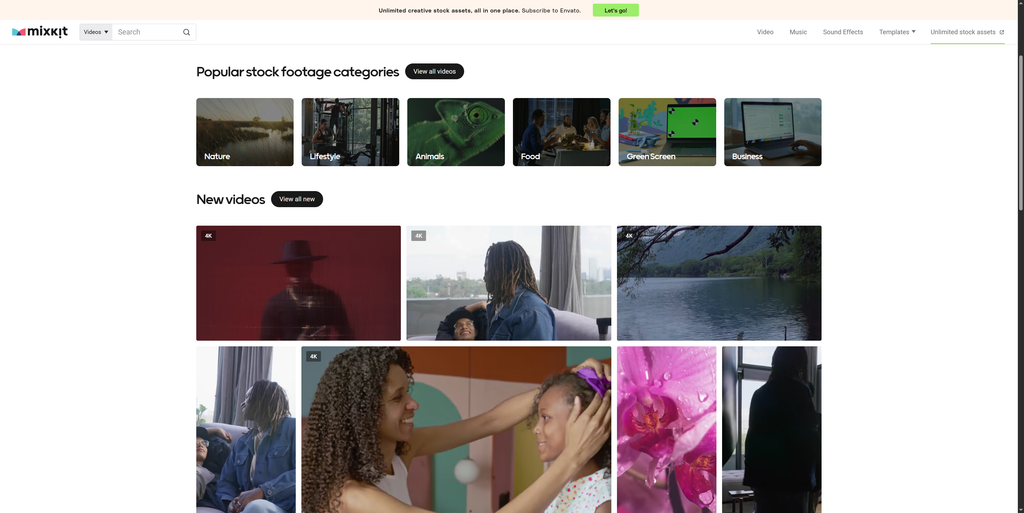
When using Mixkit, asset acquisition is entirely manual. You must open a web browser, search for a sound effect, download the ZIP file, extract it, organize it on your hard drive, and manually import it into your software’s project bin.
Conversely, Motion Array drastically reduces friction through its native Premiere Pro extension. The extension docks directly inside your editing workspace. From this panel, you can search, audition audio tracks, and preview text templates directly over your timeline before downloading. Furthermore, Motion Array’s native Essential Graphics templates are heavily optimized. While some third-party free templates cause extreme lag and make timeline scrubbing impossible without rendering proxies first, Motion Array’s templates tend to run smoothly even on mid-range computers.
Find Your Tipping Point: The Cost of Free
To truly compare Motion Array vs. Mixkit, you must calculate the “hidden cost” of using free platforms. Searching for the right free asset takes time. Thus, if your time is valuable, a paid subscription often pays for itself.
Use this simple formula to find your tipping point:
(Your Hourly Rate) × (Hours Spent Searching Free Sites per Month) = The Cost of Not Upgrading
For example: If you value your time at $30/hour and you spend 2 hours a month digging through free sites for a decent background track or transition, Mixkit is actually costing you $60 in lost time. At that stage, investing roughly $25 a month in Motion Array becomes a mandatory business decision.
Who Should Use What?
Deciding when to upgrade from Mixkit to Motion Array comes down to three specific user profiles.
1. The Occasional Creator
If you are editing family vacation videos, uploading casual vlogs once a month, or just learning the ropes of your software, free assets are perfectly fine. Mixkit is the undisputed champion for hobbyists and absolute beginners who have zero budget and no rigid deadlines.
2. The Serial Publisher
Editors producing weekly content will quickly exhaust a free library. Reusing the same free music tracks and transitions makes a YouTube channel look repetitive. Consequently, high-volume creators need the deep catalog of a paid platform to maintain visual variety and prevent audience fatigue.
3. The Commercial Freelancer
If you are charging a business for a promotional video, standards change. Paying clients expect unique, polished aesthetics. Paid platforms offer highly complex, pre-built templates that elevate the final product instantly. Furthermore, professionals cannot afford the time sink of manual downloads; they require the speed of native plugins.
The Reality of Copyright and Licensing
Understanding copyright is the biggest hurdle for new creators. Using the wrong asset can lead to severe channel strikes, demonetization, or lawsuits.
When you use Mixkit, you must be careful. While many items are safe for YouTube under their Free License, some assets fall under a “Restricted License.” These restricted files can only be used for personal, non-commercial projects. You cannot use them in advertisements or monetized broadcasts.
When you use Motion Array, the legal safety net is much stronger. Their commercial license covers your projects universally. As long as you are actively subscribed when you publish the project, you are legally protected forever—even if you cancel the subscription later. Paying for a subscription is essentially paying for cheap legal insurance and peace of mind.
Summary
The choice between Motion Array vs. Mixkit is ultimately a debate about time versus money. Mixkit serves as an incredible starting line, but the exact tipping point occurs the moment you start valuing your editing time or taking on paid client work. Once your hidden time costs outweigh the monthly subscription fee, upgrading is the only logical step.
Are you ready to turn your video editing hobby into a streamlined, professional workflow? Join thousands of other creators and subscribe to the YT Torials newsletter for weekly editing tips, asset giveaways, and software guides. Subscribe below:

No responses yet