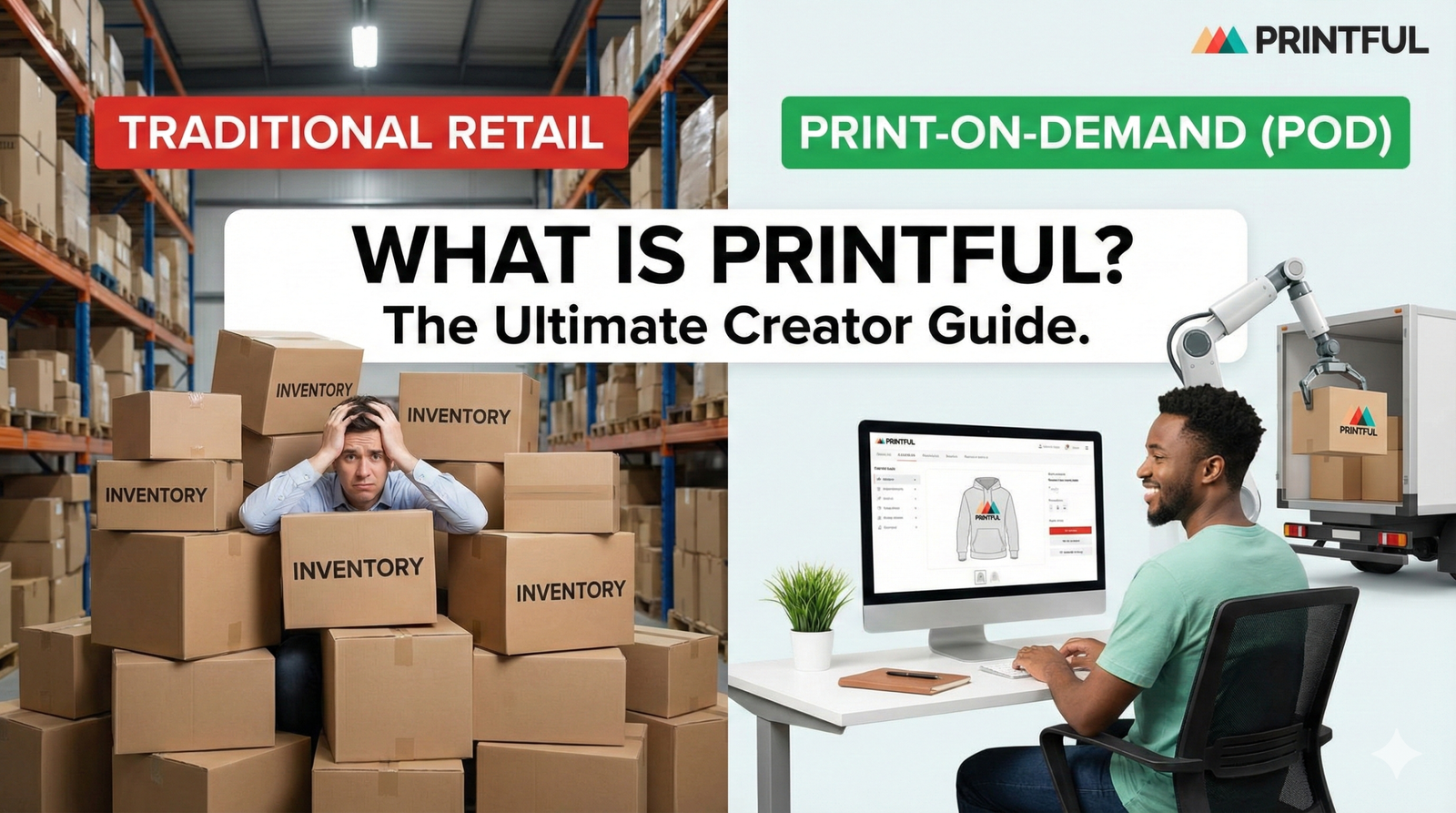
Are you a content creator looking to sell merchandise, but you don’t want to buy boxes of t-shirts that might sit in your garage forever? If so, you are in the right place.
Many creators want to monetize their channels, yet they fear the upfront costs. Printful is a specific tool that solves this problem. It is a “Print-on-Demand” (POD) platform. This means that once you make your designs—whether you upload them or create them directly on their site—you can sell them immediately.
However, the best part is the fulfillment process. Printful takes care of getting the actual product printed and shipped out to everybody. No money comes out of your pocket for inventory. In fact, you only pay when a customer buys something.
In this guide, we will break down exactly how Printful works, how to use their design tools, and how to price your products for profit.
How Does Printful Work?
At its core, Printful is a bridge between your creative ideas and your physical customers. It eliminates the need for a warehouse. Here is the simple process:
- You Create: You choose a product (like a hoodie or mug) and add your design.
- You List: You sync this product to your online store (like Shopify, Etsy, or TikTok Shop).
- They Buy: A customer purchases the item from you.
- Printful Fulfills: The order goes automatically to Printful. They print it, pack it, and ship it.
Because of this model, you can focus entirely on making videos and designs. Consequently, you don’t have to worry about tape, boxes, or trips to the post office.
Step-by-Step: Creating Your First Product
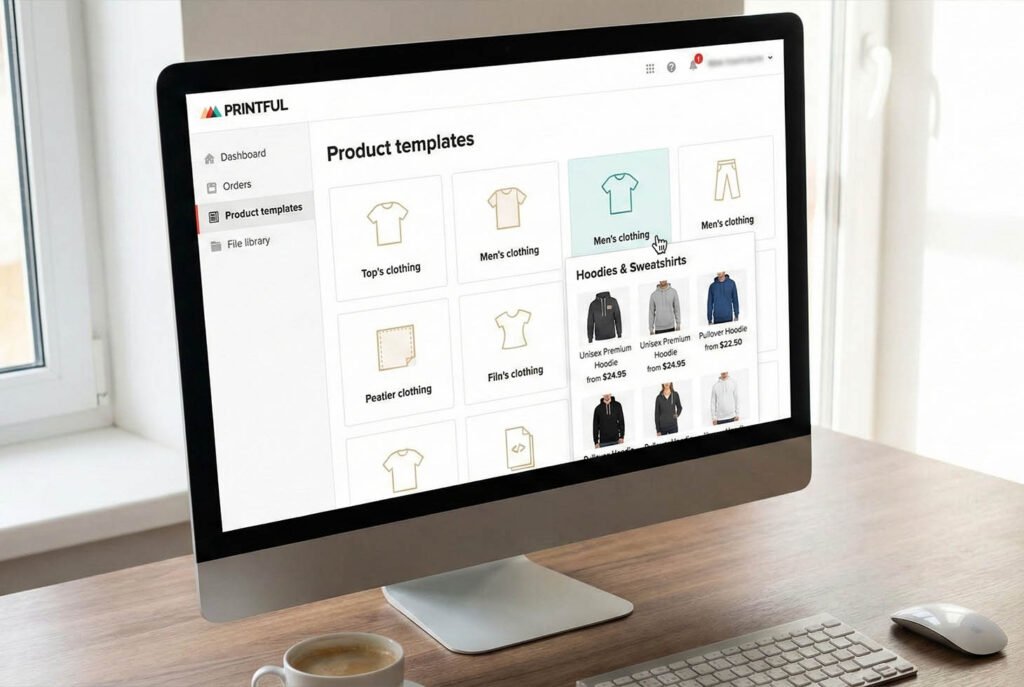
Let’s walk through the actual dashboard. Based on a recent demonstration, the interface is user-friendly. When you are on the Product Templates page, you can manage everything. For this example, let’s say we want to create a hoodie for a channel called “Press Play.”
1. Choosing Your Base Product
First, you click the “Plus” button to create a new product. You will see that Printful offers more than just attire. You can also choose Home and Living items, such as pillows or posters.
However, for most creators, clothing is the best starting point. In our example, we navigated to “Men’s Clothing” and selected a Unisex Hoodie. The base cost was around $25. This is an important number to remember because it determines your profit later.
2. The Design Maker
Once you select the hoodie, you enter the design interface. You have two main options here:
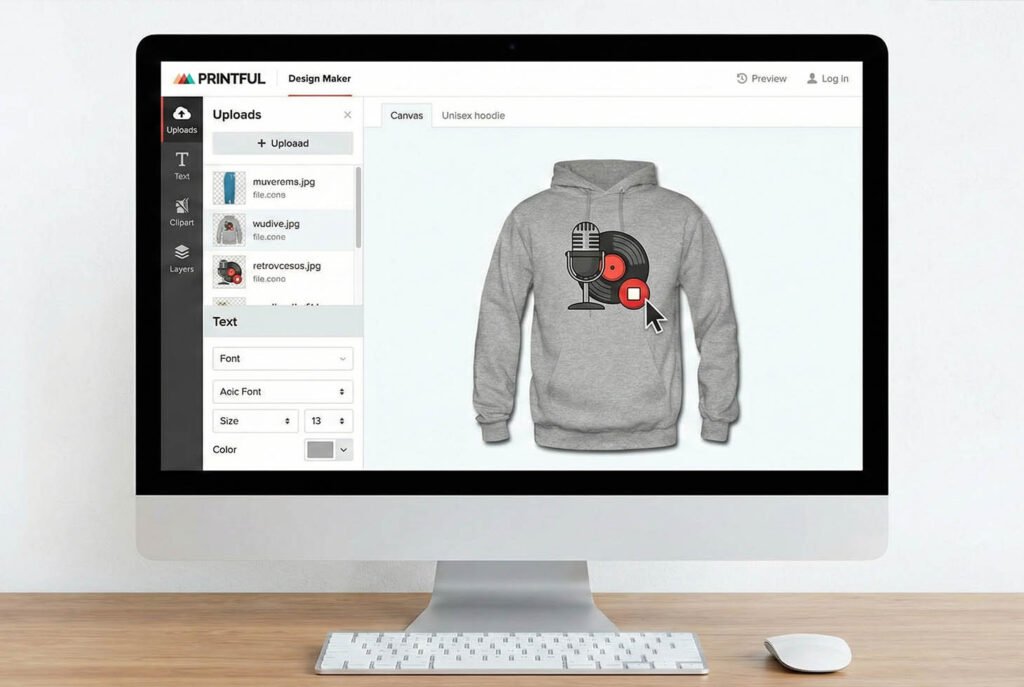
- Upload Your Own: You can drag and drop a pre-made logo. For instance, we used a design featuring a record, a stop button, and a microphone.
- Use Printful’s Assets: If you don’t have a logo, Printful provides tools to make one.
On the left sidebar, you have several powerful tools:
- Uploads: Your personal file library.
- Text: You can add text directly to the garment to “spice it up.”
- Clipart & Quick Designs: You can use ready-to-use quotes, “premium backgrounds,” or simple shapes.
- Layers: Just like Photoshop, you can reorder elements. If you want a graphic in front of text, you simply drag the layer above the other.
Furthermore, you are not limited to the front of the shirt. You can design on the back, outside label, inside label, left sleeve, right sleeve, and even the wrist.
Note: Customizing extra locations (like the sleeve) usually adds a small fee to the base price of the product.
3. Understanding Variants
After saving your design template, you need to add the product to your store. This brings us to Variants.
A variant is a specific combination of size and color. For example, a “Large Red Hoodie” is one variant. A “Small Blue Hoodie” is another.
Printful allows you to select which colors you want to offer. You might want to add as many different colors as possible to give your fans options. However, there is a limit. You can only have up to 100 different variants per product. This includes every size and color combination. Therefore, if you offer sizes XS through 5XL, you need to be strategic about how many colors you pick.
4. Creating Mockups
You cannot sell a product if people don’t know what it looks like. Since you don’t have the physical item in your hand to photograph, Printful generates Mockups for you.
You can choose from:
- Basic Mockups: Flat lay images of the shirt.
- Model Mockups: Real people wearing the product.
For our “Press Play” hoodie, we chose a basic, clean image. This allows the customer to focus purely on the design.
5. Product Details and Descriptions
Next, you need to tell your customers what they are buying. Printful helps you here as well. The system provides a standard description regarding material and fit.
However, you can also customize this. The platform offers different “tones” for your description, including:
- Playful
- On-Trend
- Quirky
For example, if you want a fun vibe, select “Quirky,” and the AI will rewrite the text for you. Additionally, you can list the benefits of on-demand manufacturing to let your customers know this creates less waste.
6. Pricing for Profit
This is the most critical step. The pricing page shows you three columns:
- Printful Price: This is what you pay Printful (e.g., $25).
- Retail Price: This is what the customer pays you (e.g., $38).
- Profit: This is the money you keep (Retail Price minus Printful Price).
You can manually adjust the Retail Price to whatever you want. If you lower it, you make less money. If you raise it, you make more per sale, but it might be too expensive for some fans. Finding the balance is key.
Once you are happy with the numbers, you hit “Submit to Store.” The system generates the print files, and within moments, the product is live on your website.
Why Use Print-on-Demand as a Creator?
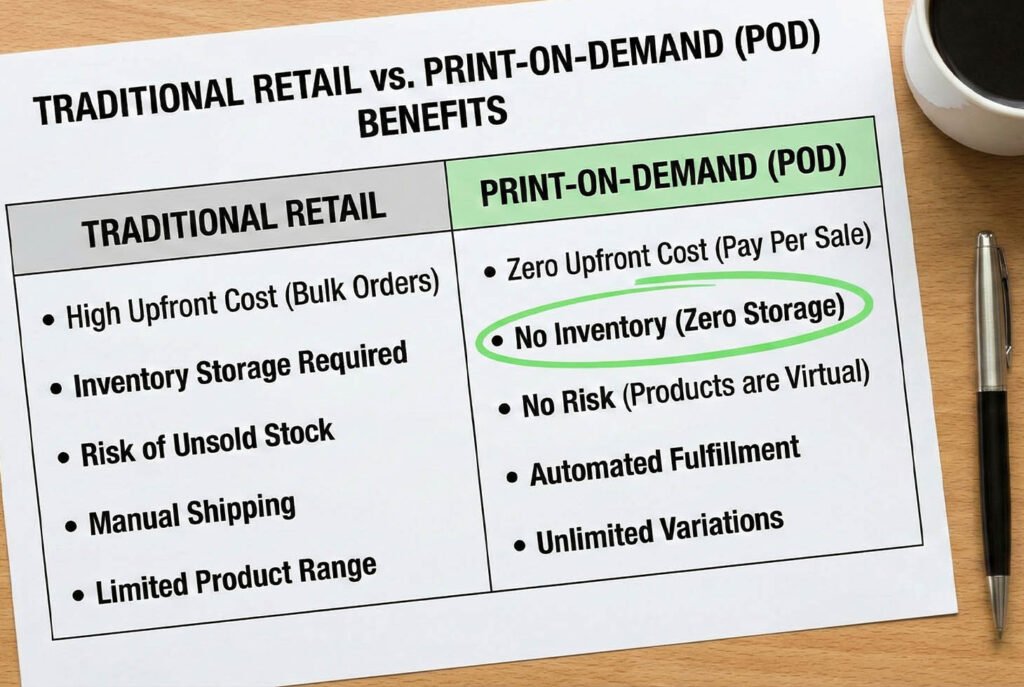
You might be wondering if this is better than buying inventory in bulk. For 90% of creators, the answer is yes. Here is why.
No Financial Risk
When you buy 500 shirts in bulk to get a lower price, you are taking a risk. If you only sell 50, you have lost money. With Printful, you only pay for the shirt after the customer has already paid you. Therefore, your cash flow is always positive.
For more on building a business without risk, check out our guide on how to start a YouTube channel on a budget.
Global Fulfillment
Printful has fulfillment centers all over the world, including the USA, Europe, and Mexico. If a fan in London buys your shirt, it will likely be printed in the UK or Europe. This means faster shipping times and no customs fees for your customer.
High-Quality Branding
Even though you aren’t packing the box, you can still brand it. Printful allows you to add a custom logo to the shipping bag or include a packing slip with a personalized message. This makes the package feel like it came directly from you.
To learn more about creating a brand identity, read our article on designing channel art for beginners.
Tips for Success with Printful
Just because you list a product doesn’t mean it will sell. Here are a few expert tips to ensure your store succeeds.
- Order Samples: Before you launch, buy one item for yourself. You get a discount on samples. You need to check the print quality and the fit of the fabric.
- Use High-Resolution Files: If your design is pixelated, the print will look bad. Ensure your PNG files are at least 300 DPI (Dots Per Inch).
- Limit Your Colors: While digital printing is great, sometimes simple designs with 1-3 colors pop the best on merchandise.
- Promote in Your Videos: Wear your merch in your videos! If people see you wearing that “Press Play” hoodie, they will want it, too.
Is Printful Right for You?
If you want a “hands-off” approach to merchandise, Printful is an excellent choice. It integrates with almost every major e-commerce platform. Whether you use Shopify, WooCommerce, or even TikTok Shop, Printful connects seamlessly.
According to Shopify’s guide on Print-on-Demand, this business model is one of the most accessible ways for entrepreneurs to start a business. It removes the barrier to entry.
Furthermore, the quality of on-demand printing has improved drastically. In the past, digital prints felt thick and rubbery. Today, specialized machines create prints that feel soft and wash well. This is vital for maintaining a good reputation with your audience. As noted by Investopedia’s definition of Dropshipping, the supplier’s reliability is crucial because they handle the final product your customer sees.
Conclusion
Printful offers a powerful way to turn your creative designs into physical products without any upfront cost. From the easy-to-use product templates to the automated shipping, it handles the heavy lifting so you can focus on creating content. By using the design maker, managing your variants carefully, and setting a fair price, you can build a sustainable merchandise store that grows with your channel.
If you are ready to take your YouTube journey to the next level, we have more resources for you.
Make sure to subscribe to the YT Torials newsletter for weekly tips delivered to your inbox. Also, don’t forget to subscribe to the YT Torials YouTube page for video tutorials that walk you through every step of the creator economy.

No responses yet