
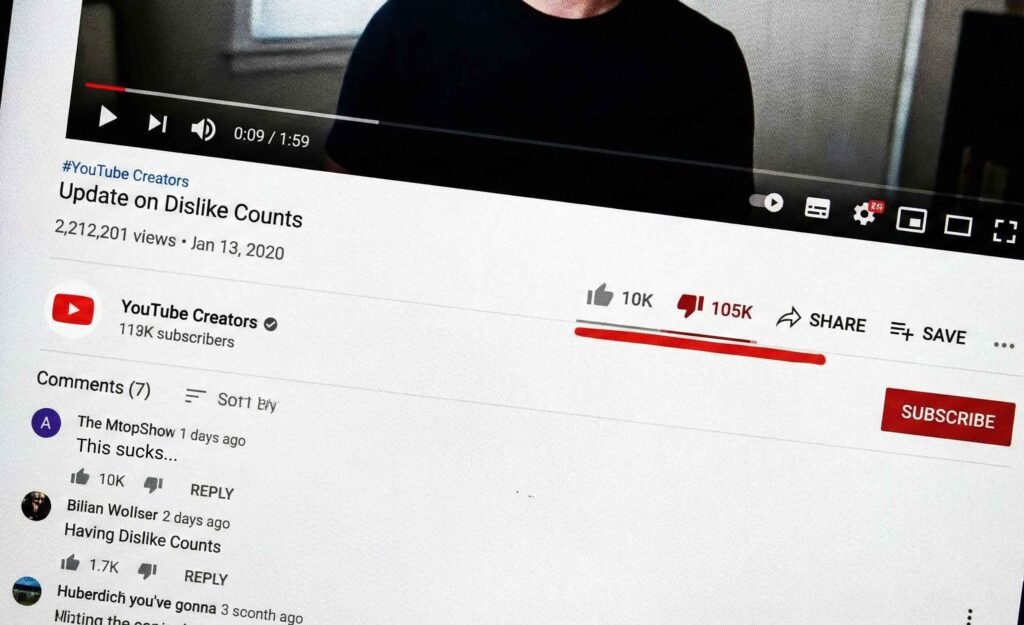
When I published a video expressing my disappointment with a recent Nintendo Direct, dedicated fans hit back fast: within 24 hours, my dislike ratio spiked past 25%.
Traditional YouTube wisdom says a wave of negative feedback like that should tank your reach. Instead, YouTube’s algorithm pushed the video to tens of thousands of potential viewers’ home feeds over the following week.
The dislike button isn’t a kill switch—it’s a personalized filter. What actually dictates distribution is viewer retention and YouTube’s internal Satisfaction Score. Here is why controversy often boosts reach, how negative feedback is actually weighted, and how to diagnose if your video is in real danger.
Why the Algorithm Rewards Friction
When my Nintendo Direct video got negative-bombed, I expected my reach to crater. To understand why it did the exact opposite, you have to look at how viewer behavior changes during a controversy and why YouTube built its recommendation engine this way.
1. Disagreement Ignites High-Value Engagement
When viewers agree with a video, they often leave a quick “like” and move on. When viewers disagree, their behavior shifts completely:
- Longer Watch Time: Angry or critical viewers tend to watch longer—either to find specific points to argue against or to see if you double down on your take.
- Comment Velocity: Controversy drives conversation. Viewers don’t just click dislike; they write long comments, debate other viewers in the replies, and return to the video multiple times to check for updates.
- External Traffic: Passionate fans frequently share controversial takes on Reddit, Discord, or social media to rally support, inadvertently driving massive outside traffic back to your channel.
To YouTube’s recommendation engine, a heated comment section and strong watch time are major indicators that a video is successfully holding attention.
2. Protection Against Mob Rule and Dislike Bombing
If a wave of dislikes could automatically kill a video, organized fanbases, rival communities, or internet mobs could censor any creator simply by brigading their channel.
YouTube engineered the algorithm so that a dislike acts primarily as a personalized filter for the individual who clicked it—telling the system, “Show less of this specific topic to me.” It does not act as a platform-wide penalty that stops YouTube from testing the video with other potential audiences.

What YouTube’s “Satisfaction Score” Actually Means
To YouTube, engagement isn’t just about positive sentiment; it’s about holding attention on the platform. The algorithm evaluates your video using a broader internal metric called the Satisfaction Score, which relies on four main pillars:
- Session Duration: Does the viewer stay on YouTube after watching, or do they close the app?
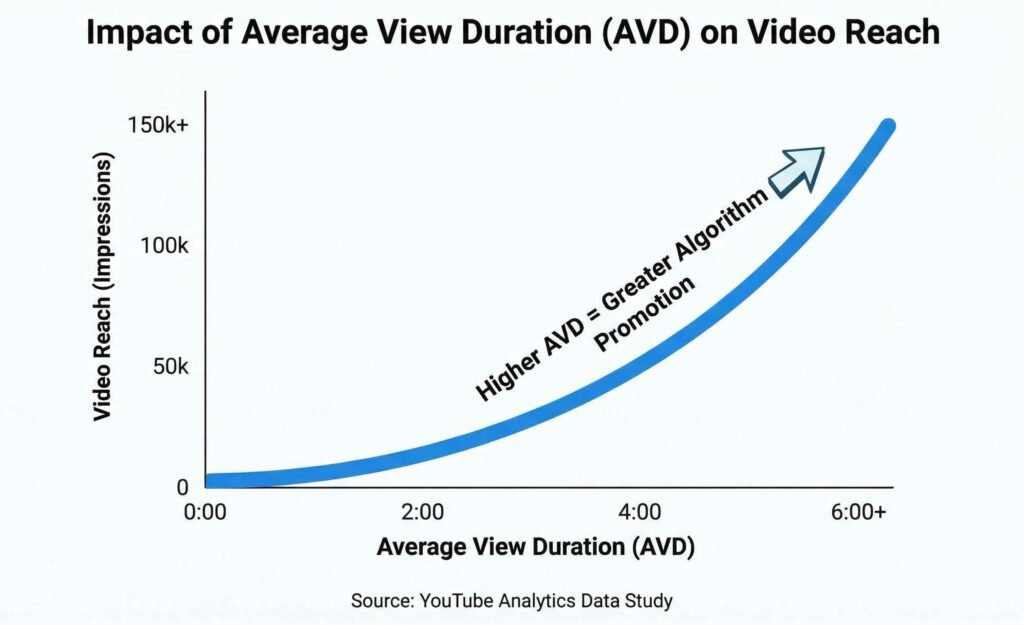
- Average View Duration (AVD): What percentage of the video did the audience complete relative to its total length?
- Direct Feedback: Post-video survey pop-ups (“How would you rate this video?”) and explicit buttons (likes, dislikes, shares).
- Click-Through Rate (CTR): How many people click when the thumbnail is shown in their feed.
Dislikes make up only a fraction of this calculation. To see how YouTube evaluates overall channel performance and distribution signals beyond single-video metrics, check out our complete guide to YouTube ranking metrics.
Key Rule: Dislikes tell the algorithm who didn’t like the topic; Average View Duration tells the algorithm how well the video held attention. YouTube prioritizes watch time every single time.
How to Check Your “Risk Matrix” in YouTube Studio
If you have a video getting hit with negative feedback, you need to determine whether you’re in a healthy debate or actual algorithmic danger.
Step-by-Step Diagnostic Walkthrough
- Open YouTube Studio on your desktop and select Content.
- Click the Analytics icon for your controversial video.
- Navigate to the Engagement tab.
- Locate the Likes (vs. Dislikes) card.
- Cross-reference your dislike percentage with your Average View Duration (AVD) on the Overview tab.
                  HIGH AVD (>50%)           LOW AVD (<25%)
              +-----------------------+-----------------------+
HIGH DISLIKES |  POLARIZATION ZONE    |   SUPPRESSION ZONE    |
  (15-30%+)   |  (Safe: High Reach)   |  (Danger: Low Reach)  |
              +-----------------------+-----------------------+
1. The Polarization Zone (High Dislikes + High AVD)
This is where my Nintendo video landed. Viewers disagreed with my opinion, but they watched a significant portion of the video to hear out the argument. Because watch time remained strong, YouTube continued showing the video on home feeds.
2. The Suppression Zone (High Dislikes + Low AVD)
This is where real damage occurs. If viewers click your video, leave a dislike, and immediately exit within the first 30 seconds, YouTube registers a “Satisfaction Gap.” A low retention rate combined with immediate exits signals to the algorithm that the video is a poor match for the audience, leading to a drop in impressions.
Landmark Research: The 12% Rule
We don’t have to guess how much the dislike button controls recommendations. Extensive independent research from the Mozilla Foundation analyzing user control tools on YouTube revealed that clicking the dislike button only prevents about 12% of similar future recommendations.
The dislike button is designed to refine an individual’s personal feed, not destroy a creator’s distribution. The only time a dislike truly hurts your reach is if it is paired with a “Don’t Recommend Channel” click or a complete exit from the app (a “Session End”).
Why Impressions Actually Drop on Controversial Content
If dislikes don’t kill a video, why do some controversial videos flatline? It usually comes down to three operational factors:
- CTR Collapse: If negative buzz or a polarizing topic causes browsing users to bypass your thumbnail, a drop in CTR (e.g., from 8% down to 2%) causes YouTube to reallocate impressions to better-performing videos.
- Audience Misalignment: If the algorithm pushes your video outside your normal target audience, new viewers who lack context may leave early, dragging down overall retention.
- Misleading Hooks: If the intro fails to deliver on the title/thumbnail premise, viewers feel tricked and abandon the video immediately.
The Emergency Checklist: What to Do If Your Video Gets Dislike-Bombed
If you publish a video and see the dislike ratio climbing rapidly, do not panic and do not set the video to private. Follow this 3-step triage:
- Check Your First-30-Second Retention: Open Studio and check the intro retention graph. If viewers are dropping off instantly in the first 30 seconds, your title/thumbnail created a misleading expectation. Adjust your thumbnail or title to match the actual tone of the video.
- Monitor Session Duration, Not Ratios: Look at your Average View Duration. If your AVD is at or above your channel average, leave the video alone. The algorithm will continue pushing it to viewers who enjoy longer watch sessions.
- Pin a Neutral Commentary: If the comments are hostile, pin a comment that acknowledges the debate in a calm, professional tone. Engaging constructively converts angry viewers into long-term subscribers and drives comment velocity even higher.
Key Takeaway: Focus on Retention, Not Ratios
Experiencing a negative response on a video can feel daunting, but data shows that emotional reactions from an audience do not equal algorithmic suppression.
As long as your content respects the viewer’s time, maintains solid Average View Duration, and keeps people engaged on the platform, YouTube will continue doing its job: pushing your video to new feeds across the platform. Don’t fear the thumbs down—focus on keeping your audience watching.
Related Posts
Use Short-Form Content to Explode Your Long-Form Views
Get your 1st 100 subscribers on YouTube!
Master YouTube Keyword Research for Evergreen Content
How to mention Channels on your videos and posts
The Full Scoop on YouTube Channel Memberships
How to Search for Small Creators on YouTube: Find Hidden Gems
How to appeal a terminated YouTube channel
The Truth of YouTube Dislikes: What You Need to Know

No responses yet