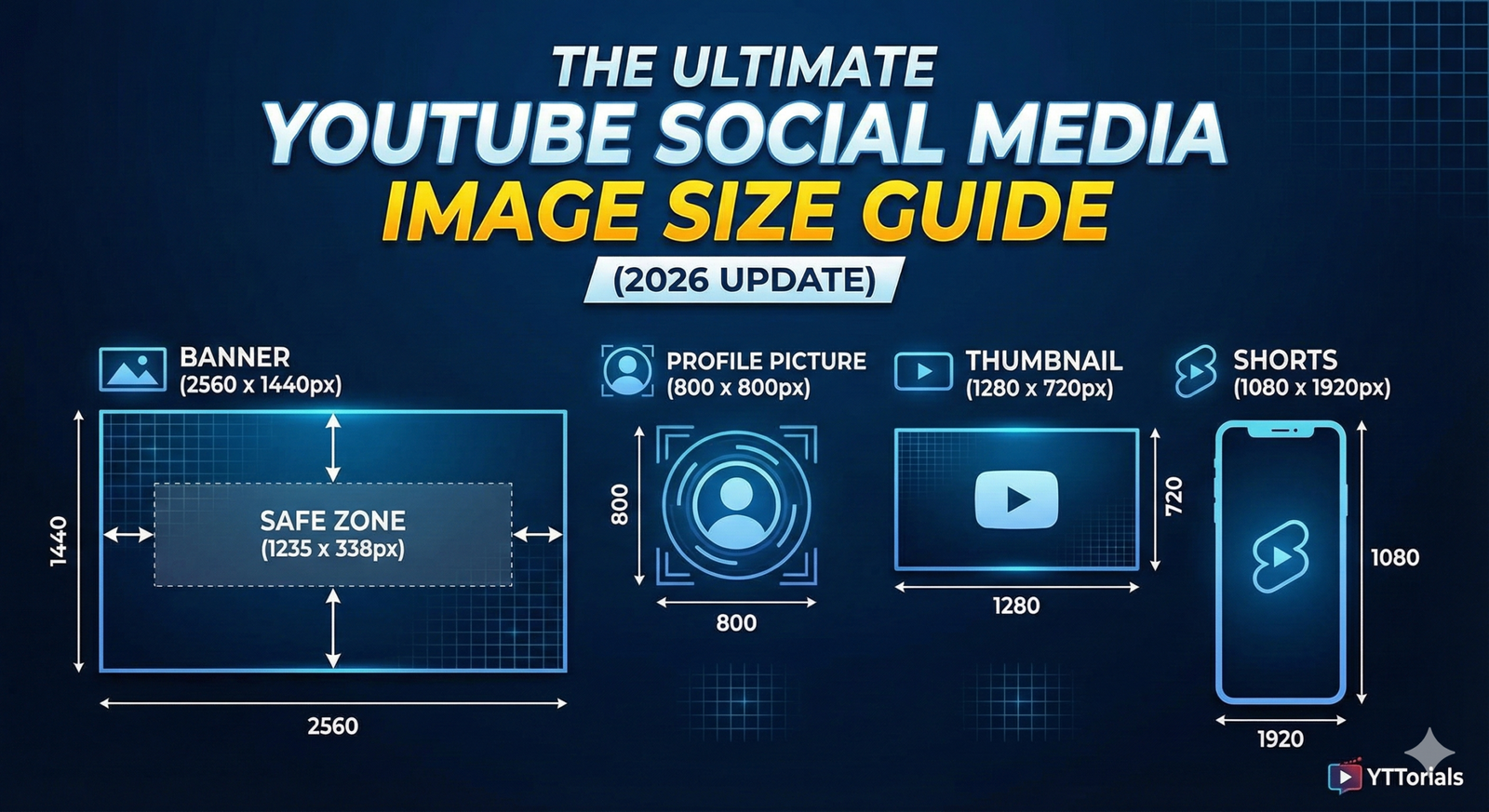
Have you ever spent hours designing a stunning YouTube banner, only to upload it and realize your channel name is cut off on mobile? We’ve all been there. It is frustrating, unprofessional, and pixelated. Visuals are the first thing a new viewer sees when they land on your channel. If your branding looks blurry or weirdly cropped, you lose credibility instantly. To help you look like a pro, we have compiled the definitive guide to YouTube social media image size for 2026.
We will cover everything from the tricky banner safe zones to the perfect thumbnail dimensions.
1. The Big One: YouTube Banner Size
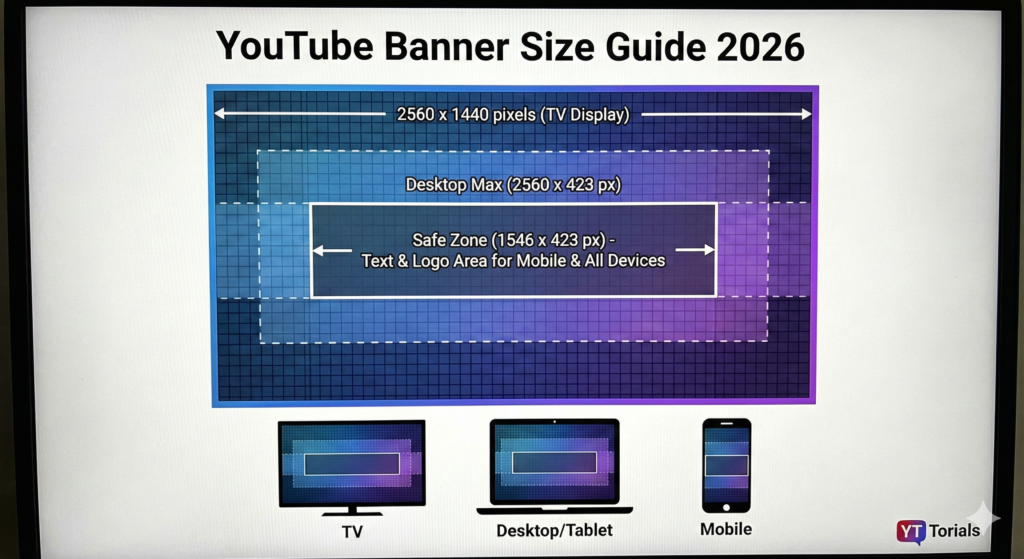
Your channel banner (or “Channel Art”) is your billboard. It’s the largest asset on your page and the hardest to get right because it displays differently on TV, desktop, and mobile.
Recommended Dimensions
- Ideal Size: 2560 x 1440 pixels
- Aspect Ratio: 16:9
- Max File Size: 6MB
- File Types: JPG, PNG, or GIF (non-animated)
The “Safe Zone” Explained
This is where most creators get stuck. While you upload a huge image (2560 x 1440) for TV users, most of that image gets sliced off on phones and laptops.
You must place your logo, channel name, and key text inside the Safe Zone.
- Safe Zone Dimensions: 1235 x 338 pixels
- Location: Dead center of the image.
Pro Tip: If you place your text outside this middle box, mobile viewers won’t see it. Keep the edges of your banner for background textures or non-essential graphics.
Need design inspiration? Check out our complete YouTube branding guide for layout ideas.
2. YouTube Profile Picture (Channel Icon)
Your profile picture (avatar) appears everywhere: on your channel page, below your videos, and next to every comment you write. Even though you upload a square image, YouTube cuts it into a circle.
- Recommended Size: 800 x 800 pixels
- Render Size: It shrinks down to 98 x 98 pixels.
- The “Circle Crop” Rule: Do not put text or logos in the corners! They will get chopped off. Center your face or icon perfectly.
3. YouTube Video Thumbnail Size
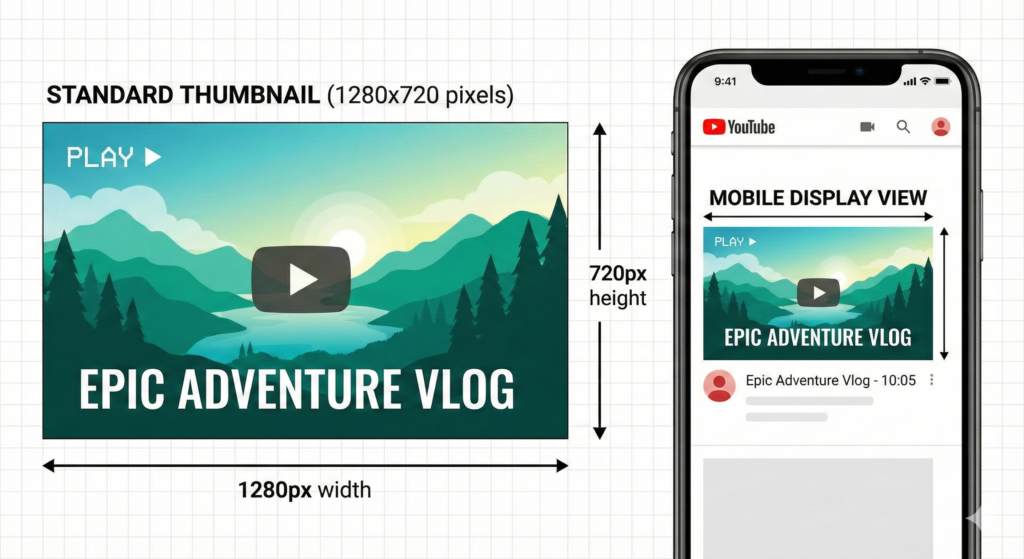
Thumbnails are the single most important factor in getting clicks (CTR). A blurry thumbnail tells viewers the video is low quality before they even click.
- Ideal Size: 1280 x 720 pixels
- Minimum Width: 640 pixels
- Aspect Ratio: 16:9
- Max File Size: 2MB
Why 1280×720? Even though the video player is often small, high-density screens (like Retina displays) need those extra pixels to look sharp. Always use high-contrast images and bold text. Learn more on how to create click-worthy thumbnails in our dedicated tutorial.
4. YouTube Shorts and Community Posts
YouTube is more than just horizontal video now. You need to master vertical and square formats to grow in 2026.
YouTube Shorts Dimensions
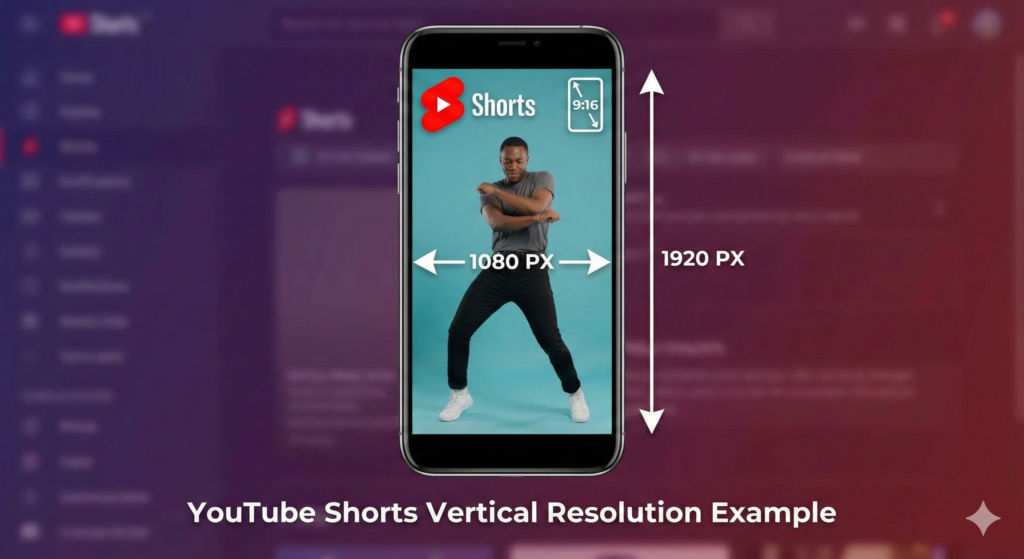
Shorts are viewed vertically on phones, so you must flip your canvas.
- Resolution: 1080 x 1920 pixels
- Aspect Ratio: 9:16
- Note: If you upload a square (1:1) video, YouTube may add awkward black bars or not promote it effectively in the Shorts feed. Stick to full vertical.
Community Post Images
Community posts are great for polling your audience or sharing updates.
- Best Size: 1080 x 1080 pixels (Square)
- Aspect Ratio: 1:1 works best, though 16:9 is supported.
- Tip: Square images take up more vertical space in the mobile feed, making them more likely to catch a viewer’s eye than a thin rectangular image.
5. Quick Reference: Video Watermark
The watermark is that tiny logo in the bottom right corner of the video player that lets people subscribe with one click.
- Size: 150 x 150 pixels
- Format: PNG (Transparent background looks best)
- Size Limit: Less than 1MB
Once you have your file prepared, learn how to put it into action with our complete guide on Adding a Watermark to YouTube Videos.
Conclusion
Getting your dimensions for your YouTube image size right is the easiest “quick win” for your channel. It signals to new viewers that you take your content seriously. Save these numbers, update your templates, and make sure your branding shines on every device.
Ready to take your channel growth seriously? Dive into our Ultimate YouTube Branding Guide to align your banners, thumbnails, and channel identity. Don’t miss a single update. Subscribe to the YT Torials newsletter today for weekly tips, algorithm updates, and free design assets delivered straight to your inbox!

No responses yet