Whether you are a Streamer, Vlogger, or a niche educator, you want your content to look the best it possibly can. Visual quality is the first thing a viewer notices before they even hear you speak. Which brings us to Placeit. You are likely wondering if having a subscription with this website can give you the boost in quality that you want.
Without a doubt, this tool will give your content a professional edge, but is it worth the asking price in 2026? While general design tools like Canva and niche-focused competitors like Kittl have aggressively added features, Placeit maintains a specific edge in two categories: the sheer volume of realistic mockups and its YouTube/Gaming asset library.
1. The Mockup King (Placeit’s Biggest Edge)
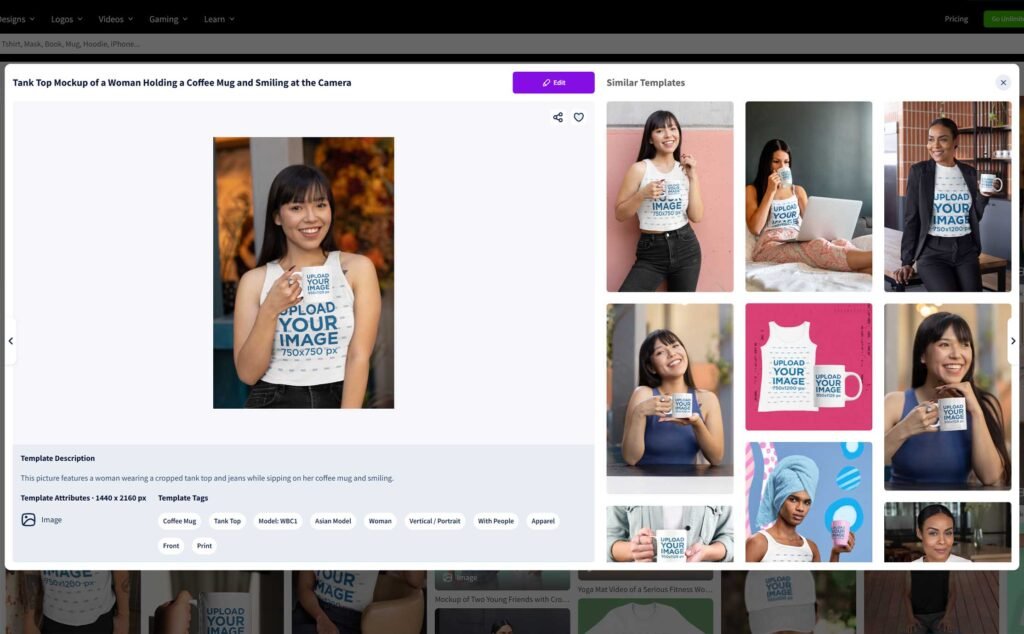
Even with Canva’s Smartmockups integration and the rise of AI-generated product photos, Placeit remains the industry leader for sheer variety and realism.
- The Stats: Placeit features over 34,900+ mockups, with recent 2026 reports suggesting the library is approaching the 50,000 mark.
- The Advantage: Unlike Canva, which often feels “stocky,” Placeit’s mockups include diverse models across different ethnicities, ages, and body types in natural, lived-in settings. For Print on Demand (POD) sellers on Etsy or Shopify, these authentic photos sell products better than a flat lay or an AI image that might carry an uncanny, synthetic look.
- The Competitor Gap: Tools like MediaModifier or Smartmockups are great but often lack the apparel-specific depth (hoodies, leggings, beanies, streetwear) where Placeit excels.
While the workflow is as simple as uploading your design and downloading a high-resolution file, keep in mind that some assets are aged; filtering by “Newest” is recommended to match current aesthetic trends.
2. Branding for Streamers and YouTubers
IIf you are a creator on Twitch or YouTube, Placeit is still the most efficient “one-stop shop” in 2026.
- Twitch/Gaming: Placeit offers cohesive “branding packs”—allowing you to get a matching logo, OBS overlay, “Starting Soon” screens, and panels. This creates a unified brand identity instantly without needing a graphic designer.
- YouTube: Their intro and outro makers are incredibly fast. While dedicated editors offer timeline control, Placeit is faster for plug-and-play animations where you just need to swap text and a logo.
Placeit offers 900+ video animation makers and over 1,000 free music tracks. You can edit text, audio tracks, and playback speed (0.5x, 1x, or 1.5x) before downloading your final MP4 video.
3. Placeit vs. The New Competition (2026 Comparison)
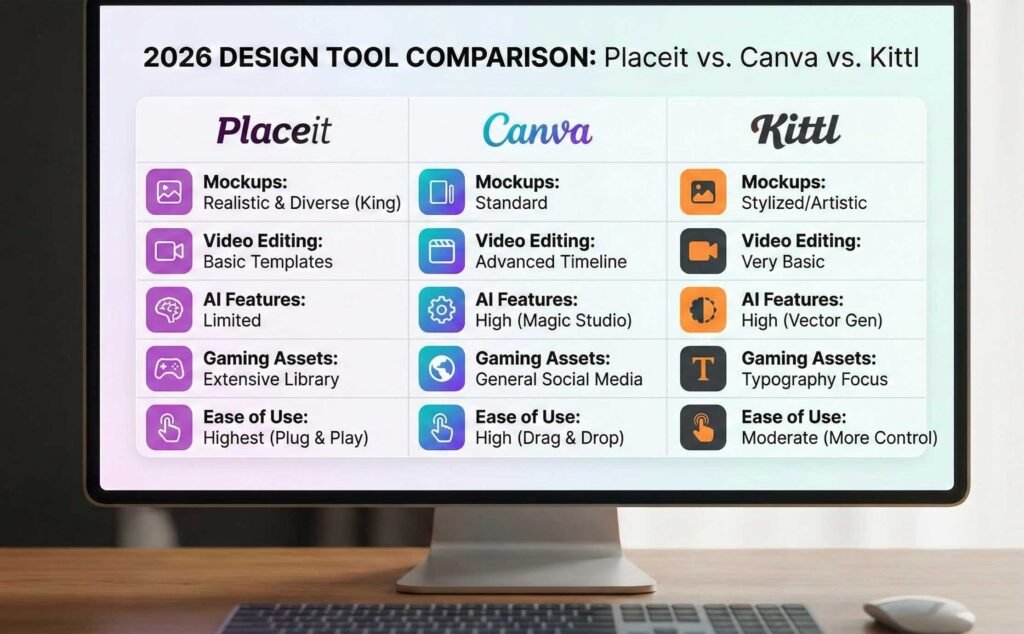
To help you decide, here is how Placeit stacks up against the biggest names in the design world this year.
| Feature | Placeit | Canva (Smartmockups) | Kittl |
| Best For | Mockups & Gaming Assets | General Social Media & Teams | Typography & Vintage Logos |
| Mockup Quality | High (Realistic/Diverse) | Moderate (Standard) | High (Artistic/Stylized) |
| Ease of Use | Highest (Almost no tools) | High (Drag & Drop) | Moderate (More control) |
| Video Editing | Basic (Templates only) | Advanced (Full Timeline) | Very Basic |
| AI Features | Limited (Smart Search) | High (Magic Studio/AI Edits) | High (AI Vector Gen) |
Here’s a brief breakdown of templates you can design on Placeit for YouTube Creators:
- Mockups
- End Screen templates
- Intros and outros
- Thumbnails and bannners
- Clothing
- Logos
- Other print-on-demand products

Mockups
You have 34,900+ mockups to choose from. The library is versatile and simple to navigate. You can search through filters (the type of mockup, gender, age, ethnicity, and tags) until you find just the perfect fit for your product and target audience.
However, some of the available assets are a little aged. The Placeit mockup selection could do with some much needed updating.
Other than that, the website holds up well when creating your mockups. All you need to do is upload an image in the specified dimensions and type in your text. When you’re done, you can download the final result as a high-resolution PNG file.
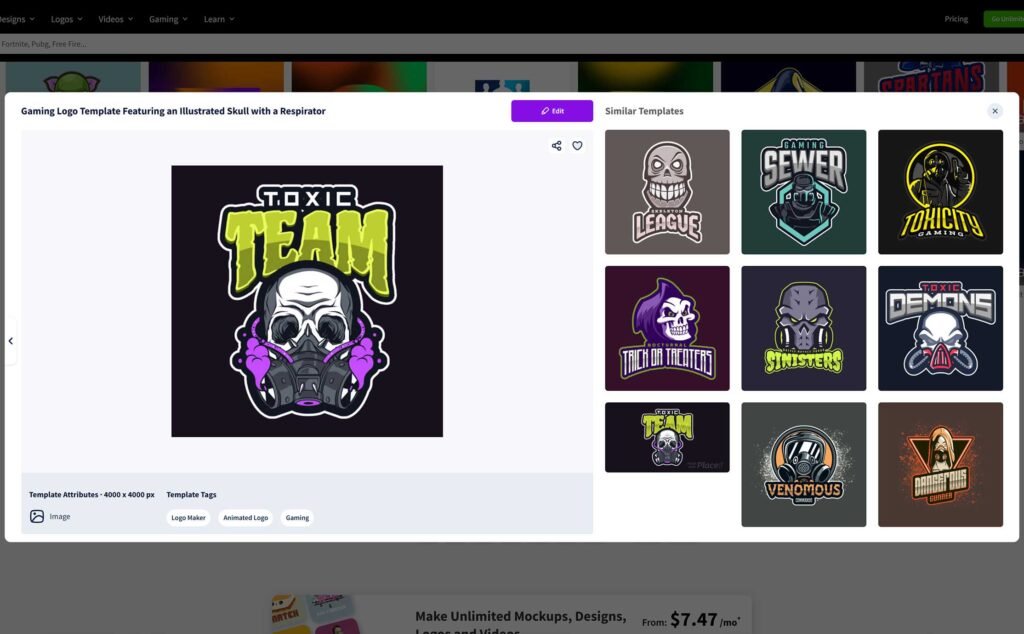
Logos
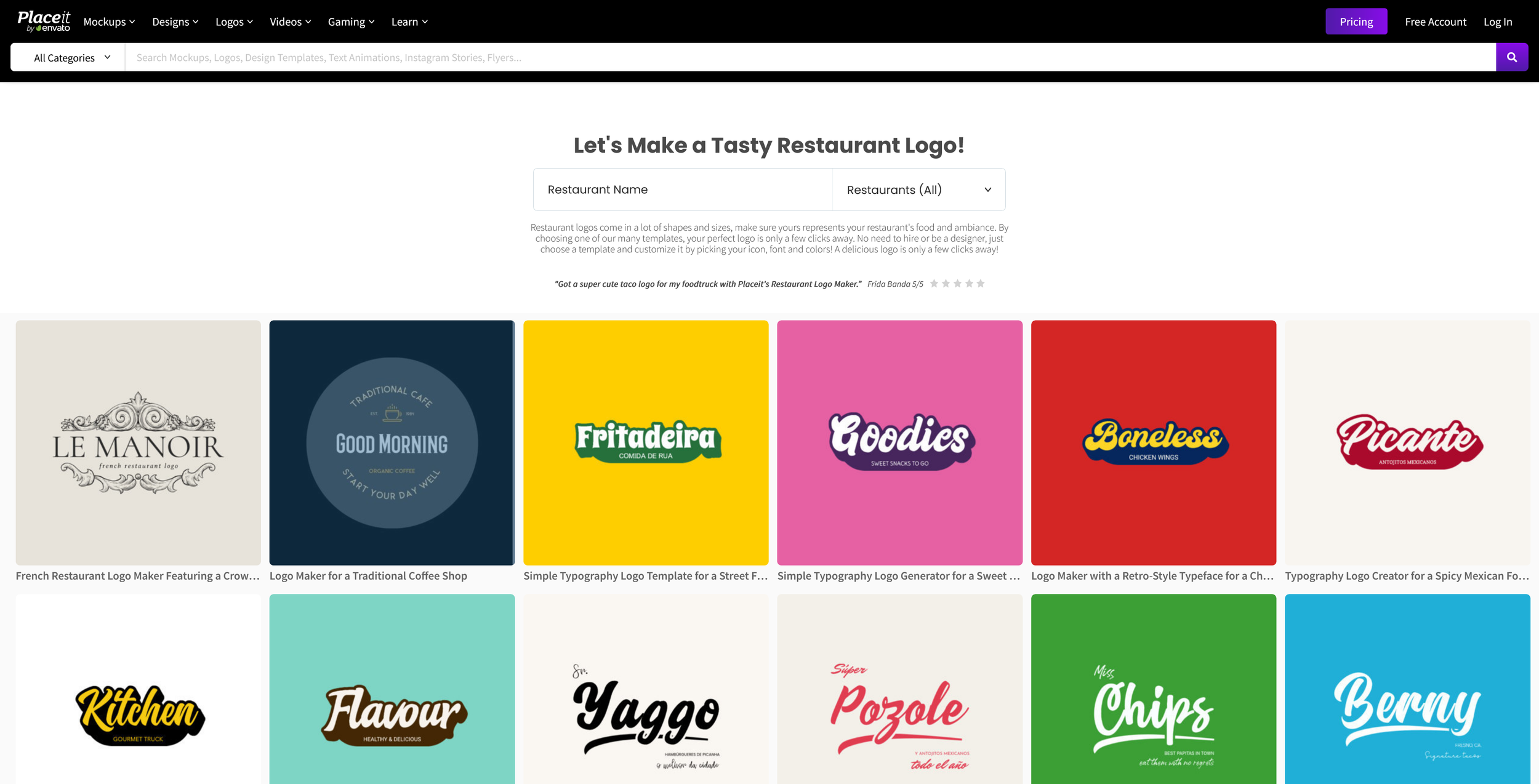
Placeit features 4,600+ logo templates organized by industry, including clothing, fitness, healthcare, gaming, and legal. While customization is fixed to layout and font swaps rather than freehand drawing, you can download final designs as 4000×4000 PNG or PDF files.
If you want to explore other dedicated branding platforms beyond template generators, check out our guide on the 5 best logo makers.
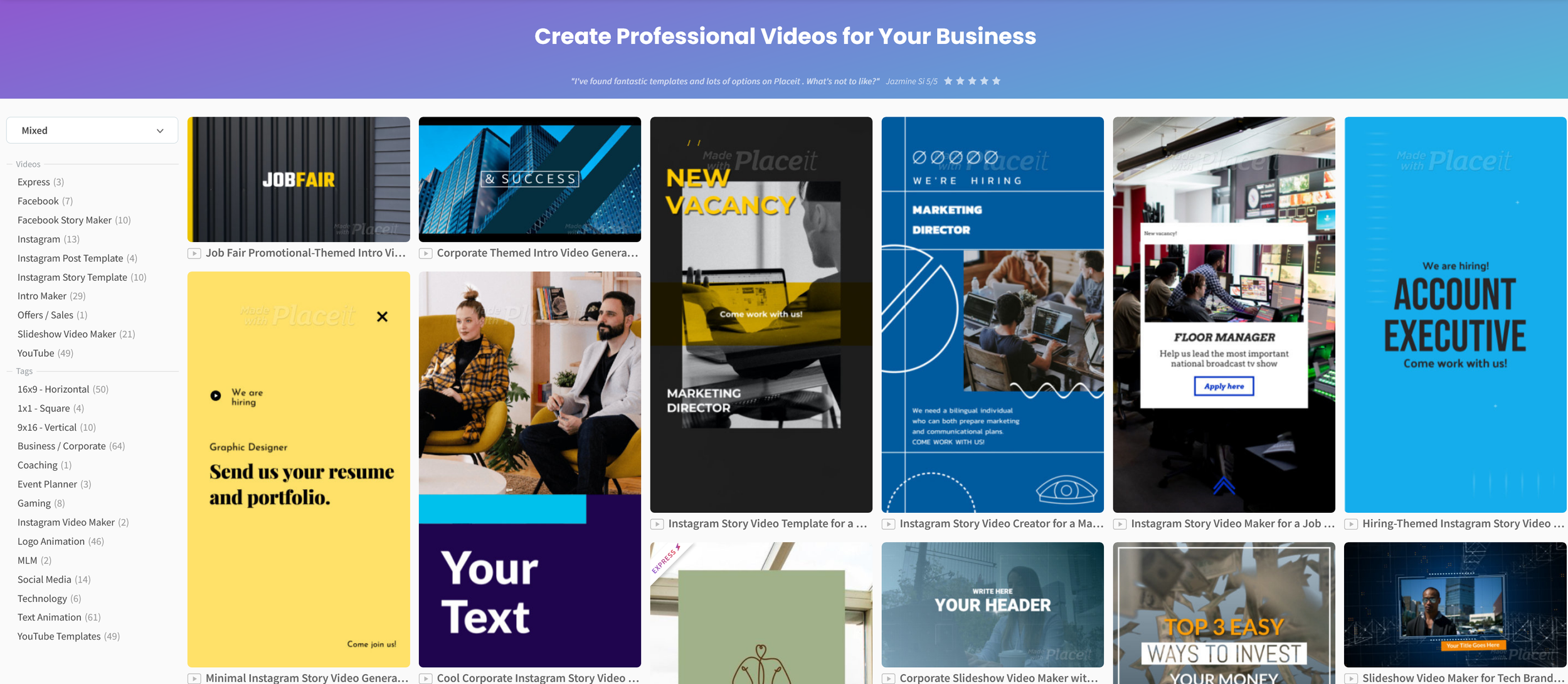
Videos
Placeit’s video engine handles intros, outros, slideshows, Instagram Reels, and Facebook covers. You can easily modify background colors, audio tracks, slides, and speed levels before exporting to MP4.
Placeit videos come in many shapes and types, such as:
- Intros, outros, and slideshows
- Gaming videos — animated logos, Twitch screens, and YouTube templates
- Social media videos — Facebook covers, Instagram posts and stories, and promo videos
If your channel requires broader stock video footage, cinematic project files, or complex timeline editing, read our head-to-head comparison of Motion Array vs. Envato Elements.
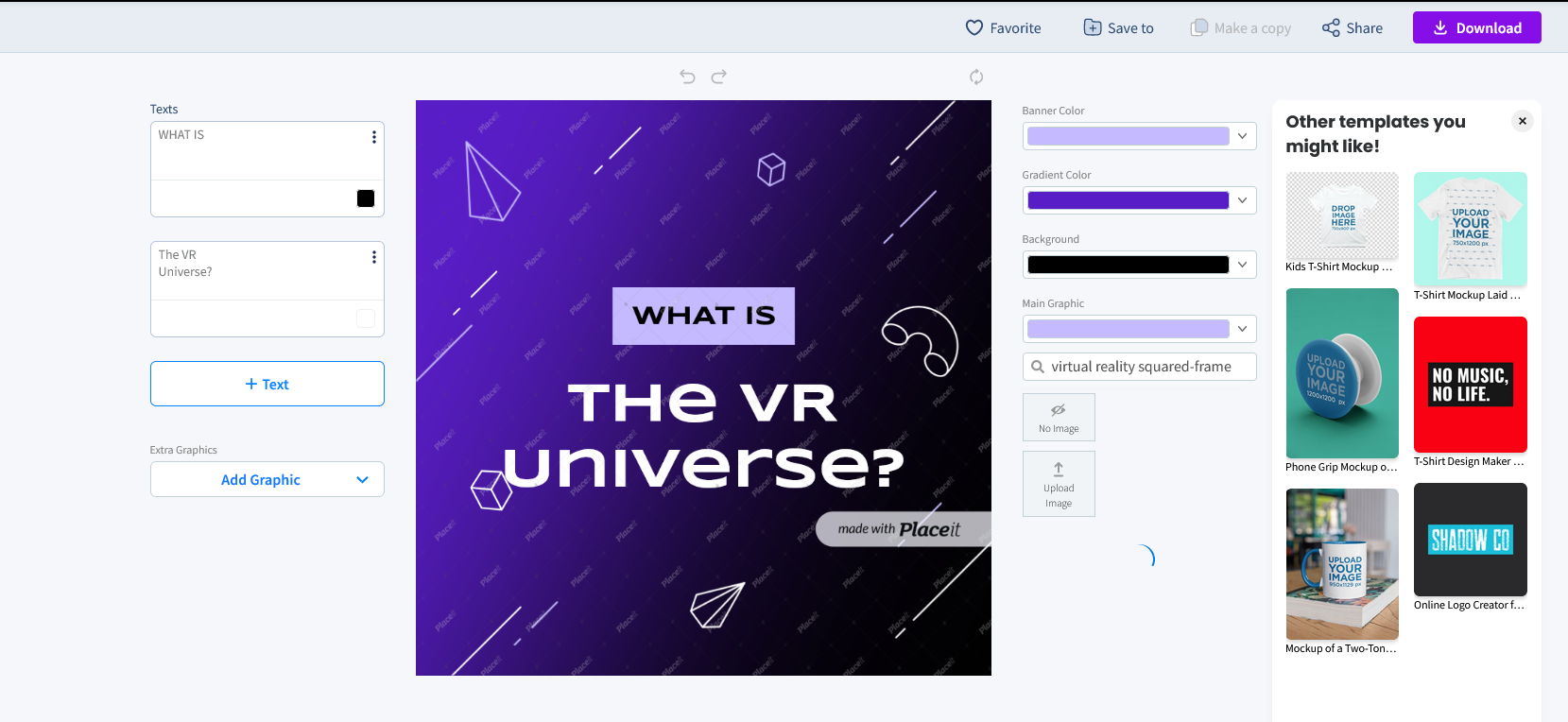
Gaming
The Placeit app has a dedicated gaming section. It has everything you need from A to Z for branding your channel. It lets you create:
- Animated logos
- Merch — t-shirt mockups and designs
- Streaming templates — OBS stream overlay and Starting Soon screens
- Twitch templates — banners, offline banners, overlays, and panels
- YouTube templates — intros/outros, banners, end cards, and thumbnails.
The merch subsection can also be expanded, so it’s not just t-shirts. Other than that, this set of streaming assets and tools is a real hit.
There are even additional resources to boost streams, like the Placeit Twitch guide and gamer tips.
Technical Export Specifications
For creators and Print-on-Demand merchants with strict technical criteria, here is how Placeit’s output holds up:
- Resolution & DPI: Image downloads (logos, graphic templates, mockups) export at high resolutions (typically 4000×4000 pixels). Print assets are optimized at 300 DPI equivalent, making them suitable for direct upload to POD platforms like Printify, Printful, or Merch by Amazon.
- PNG Transparency: Placeit graphics, logos, and cutout mockups support full alpha-channel transparent PNG exports, allowing you to drop logos directly onto video tracks or custom apparel backgrounds without boxy borders.
- Vector File Availability: Note for Designers: Placeit is strictly a raster-based output tool. Downloads are provided as high-res PNG, JPG, PDF, or MP4 files. It does not export native SVG vector files. If you require editable vector nodes, tools like Illustrator or Kittl are better suited.
- Video Format: Video files export in standard 1080p MP4 format with clean audio encoding.
Licensing & Commercial Usage Terms (Post-Cancellation Rights)
A major question for POD merchants and creators is: “What happens to my commercial license if I cancel my subscription?”
- Active Commercial License: Every asset you download—whether from an Unlimited subscription, a single purchase, or even the Free templates section—comes with a full commercial license. You are permitted to sell products featuring these designs or use them on commercial YouTube channels and monetized streams.
- Rights After Subscription Cancellation: You retain perpetual commercial rights to all assets downloaded while your subscription was active. If you created a t-shirt design or stream overlay in March and cancel your plan in April, you can continue selling that t-shirt or using that overlay indefinitely.
- Restrictions: You cannot continue downloading new assets or re-generate variations after cancellation without renewing. Be sure to download all master high-res files to local storage before terminating your subscription.
Pricing & Value Breakdown
Placeit offers a selection of free templates, but ongoing work requires an Unlimited plan or individual purchases:
- Monthly Subscription: $14.95 per month
- Yearly Subscription: $89.69 per year ($7.47 per month equivalent—a 50% savings)
- Single Purchase Option: Single logos cost $39.95; individual mockups and design templates range from $2.95 to $9.95.
Subscriptions can be canceled at any time. Given that a single logo purchase costs $39.95, subscribing for one month at $14.95 is often the most cost-effective path even for a single branding project.e specific design. As long as you don’t expect any complex designs, you should be all set.now.
Are There Any Cons?
No tool is perfect. First off, Placeit doesn’t offer a traditional free trial before you buy a subscription (though the free section acts as a preview). Despite updates in 2026, Placeit still has some drawbacks:
“Aged” Content: Some of the older mockups from the 2010s are still in the library and look dated. You have to filter for “Newest” to get the 2026 aesthetic.
Limited Customization: You cannot move elements freely like you can in Kittl or Photoshop. If a template has a text box in the middle, it usually stays in the middle.
Subscription Issues: Recent user reviews (late 2025-early 2026) still report difficulty with the cancellation process and “predatory” billing cycles. Pro tip: If you subscribe, be very careful to verify your cancellation through your account settings.
As long as you don’t expect the deep customization of a professional design suite, you should be all set. If you need more control over your layers, you might want to read our article on the best graphic design tools for beginners.
The Verdict: Is It Worth It?
Overall, Placeit is a great asset for any content creator. Even though some templates feel similar, the sheer volume of choices makes it a smart purchase. It is especially valuable if you plan to do video editing or branding for others, as it allows you to churn out high-quality work in a fraction of the time.
If you found this guide helpful and want to stay updated on the best tools for creators, be sure to subscribe to the YT Torials newsletter. For more hands-on video guides and walkthroughs, subscribe to the YT Torials YouTube page and join our growing community of successful creators!
Related Posts
Placeit Review: Pros, Cons, and Everything You Need to Know
Motion Array vs. Envato Elements: A Head-to-Head Comparison
Creative Fabrica: Pros, Cons, and Everything You Need to Know
5 of the Best Logo Makers on the internet 2026
No responses yet